
~ Advanced Twitter Marketing Tips ~ I've been on Twitter for about a decade now, and been heavily focusing for a couple months on marketing on this platform. I've picked up a couple tips and tricks along the way that I'll share with you in this thread 👇

Tip #1 - Update Your Twitter Card Link Details ⏫ Ever shared a blog post & then realized you've used the wrong image or not filled out the meta title? Well you can use the Twitter Card Validator to instantly update any URL to it's most recent version - https://cards-dev.twitter.com/...
Tip #2 - Use Twitter Search Operators 🔎 Twitter Search has a variety of advanced search operators you can use to filter by an array of useful things to be able to find or sort content that you can build your niche research upon.

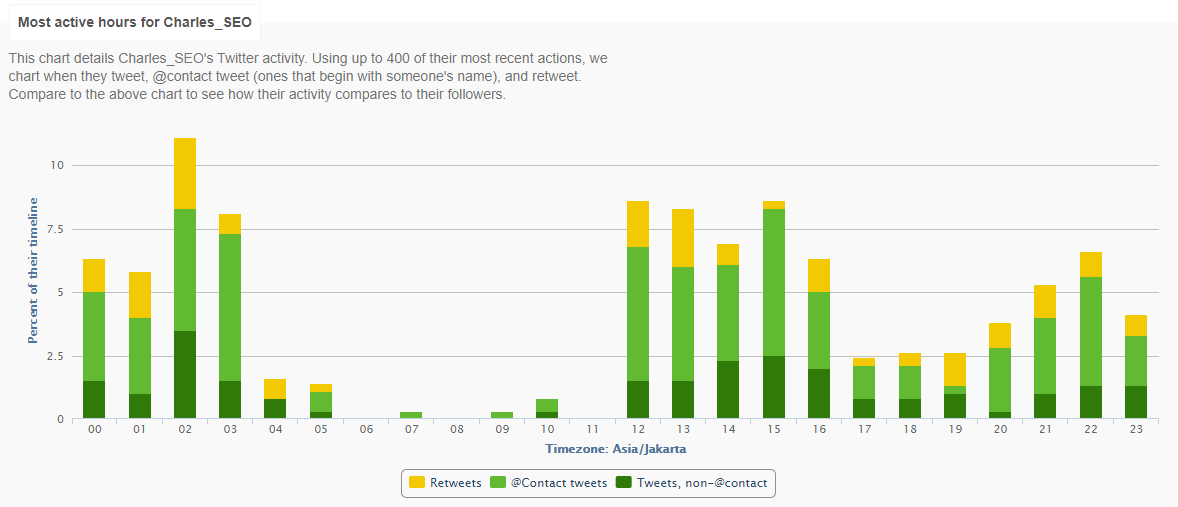
Tip #3 - Get Your Best Times To Tweet ⏲️ Signup for a free trial of FollowerWonk, and have them generate the best times for you to Tweet based on your users most engaged hours.
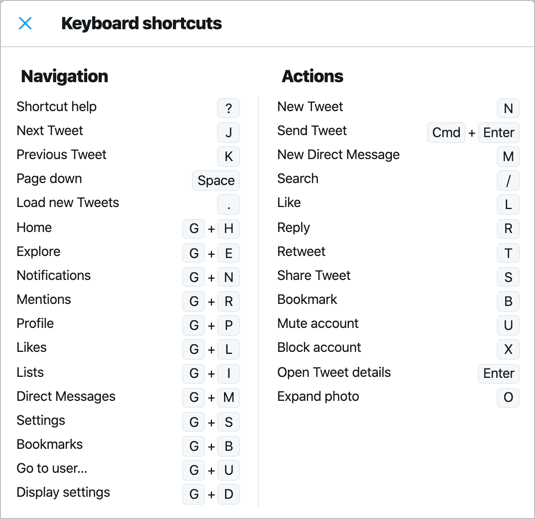
Tip #4 - Twitter Keyboard Shortcuts ⌨️ Much like Word or Google Docs, Twitter has shortcuts on your keyboard you can utilize to speed up activities on a page, just takes a little bit of time to get used to them.
Tip #5 - Use LinkTree or Cardd 📄 The maximum amount of links you're going to get out of a profile without making it extremely cluttered and disorganized is 3, realistically 2 in most cases. Having either of these tools allows you to list multiple 10s of links if you need to.
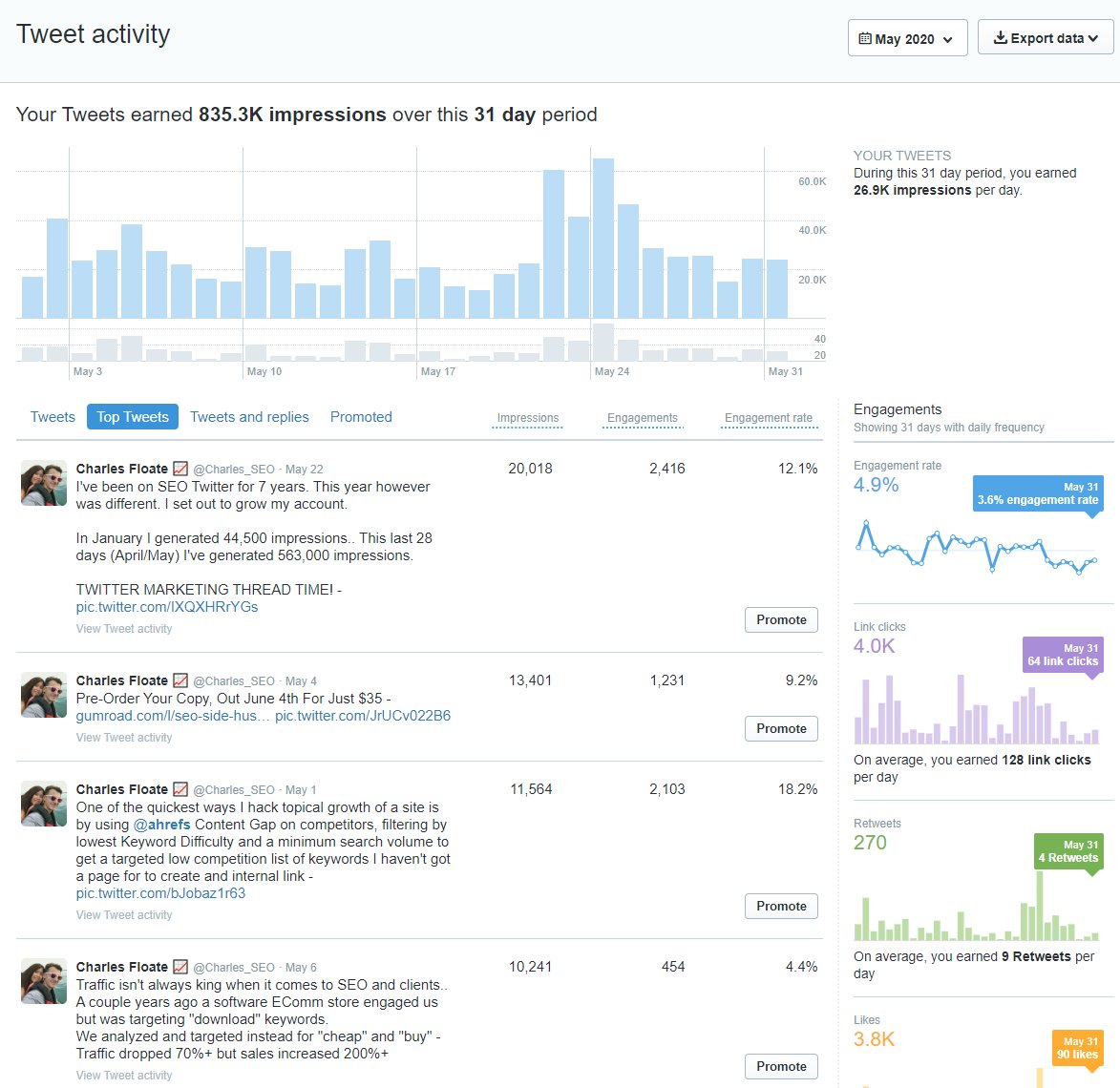
Tip #6 - ReUse Old Top Tweets From Twitter Analytics 📊 I can review my Twitter Analytics ( https://analytics.twitter.com/ ) and sort my Top Tweets from each months - Either Re-using, quoting to followup on or ReTweeting to further get additional engagement from new followers.
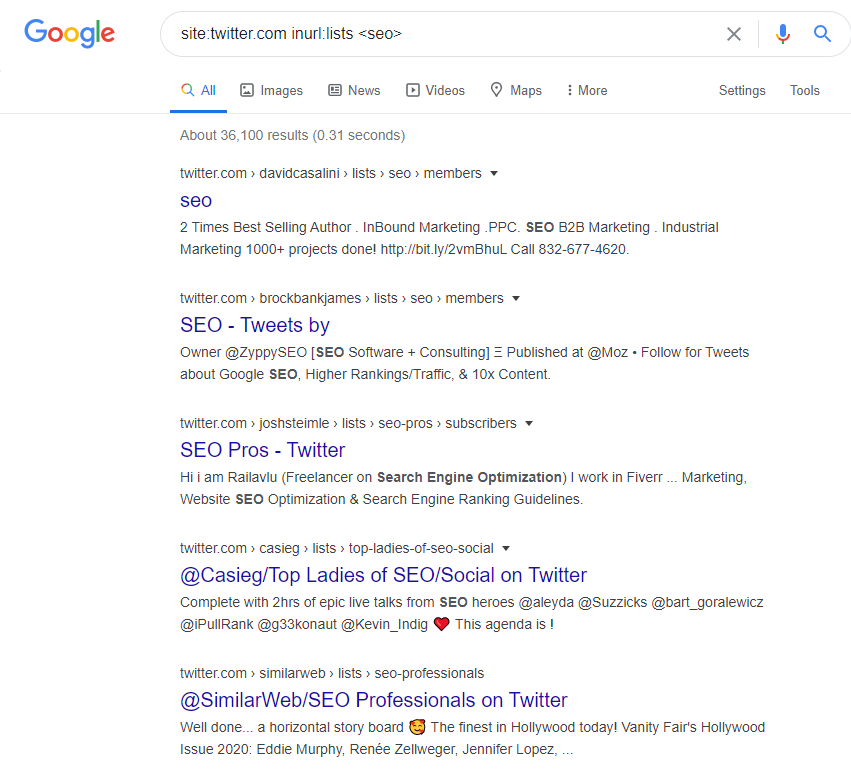
Tip #7 - Use Google Operators To Find Niche Twitter Lists ✍️ You can actually use a Google site search operator to find publicly available lists people have created for all sorts of niches. Google found over 30,000 different lists just for SEO alone.
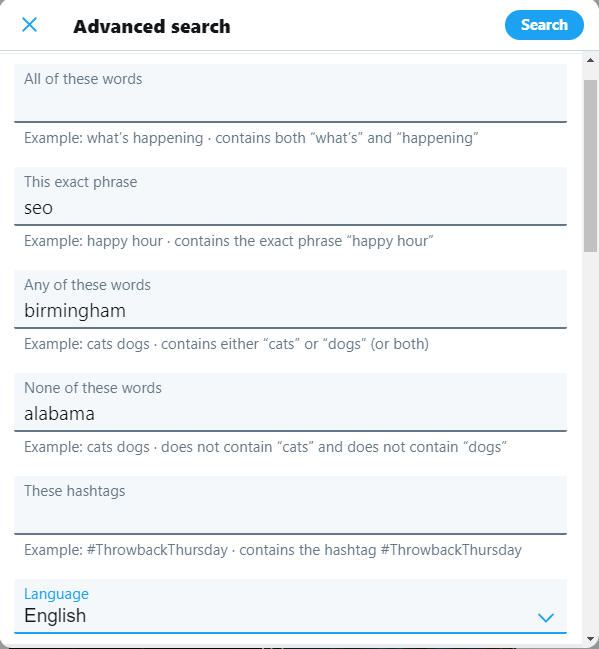
Tip #8 - Find Local People & Companies In Your Niche With Advanced Twitter Search 🕵️ You can use Twitter's advanced search fields to try and find people that are tweeting about your subject within a specific area.
And that's all the tips you're getting for now! If you enjoyed this thread please drop it a RT! If you want more Twitter, SEO and general advanced digital marketing tips, then drop me a follow ✌️
@Charles_SEO 🔥 🔥 🔥 Handing out twitter lessons like your SEO content. Simple and actionable. Love it
@Charles_SEO @threadreaderapp unroll