
Tradingview is one of the most trusted and used web application by traders across the world. 10 hacks that'll get you features of @tradingview premium version for free:🧵 Collaborated with @AdityaTodmal
1/ Free Multi Timeframe Analysis: Step 1. Download Vivaldi Browser Step 2. Login to trading view Step 3. Open bank nifty chart in 4 separate windows Step 4. Click on the first tab and shift + click by mouse on the last tab. Step 5. Select "Tile all 4 tabs"

The best part about this is this is absolutely free to do. Check out this video if you are still unable to figure it out: https://www.youtube.com/watch?...
2/ Create Free Multiple Watchlists: Step 1: Download @TradingView app on your mobile phone, and login. Step 2: Now create watchlists eg: World Indices, Banking Stocks, NIFTY50 stocks etc.
Step 3: Now go back to your tradingview web browser and click on refresh and you will see the watchlist names on the web browser. Step 4: Now simply add names in your watchlist on the web browser by clicking on the plus sign.

Check out this video if you are still unable to figure it out on how to create a watchlist: https://www.youtube.com/watch?...
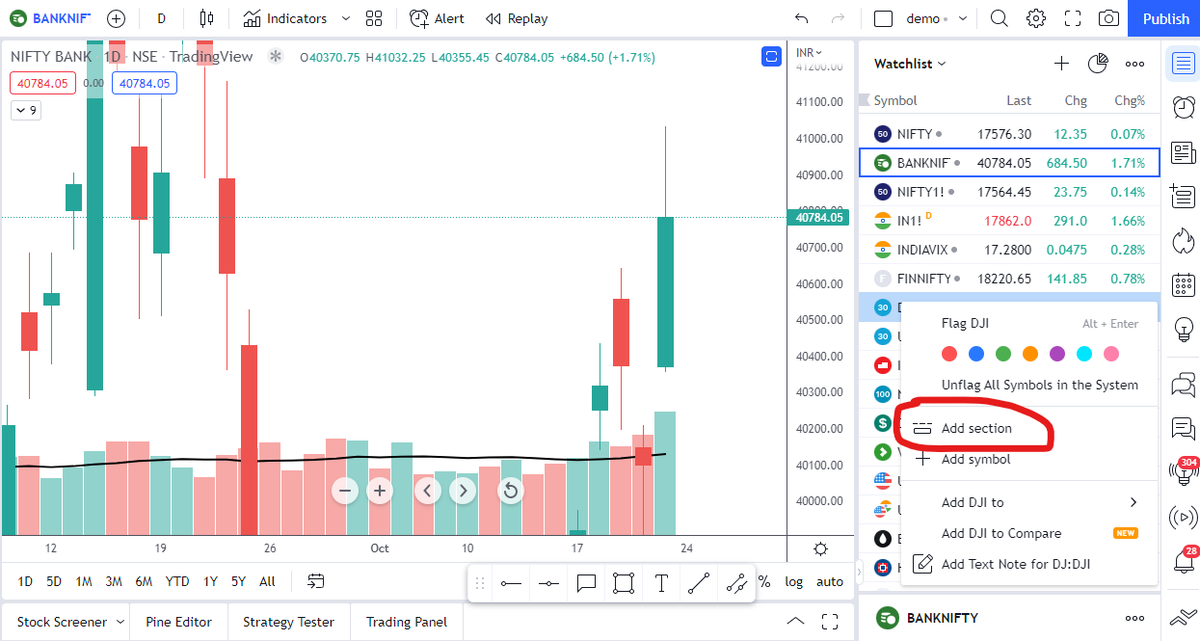
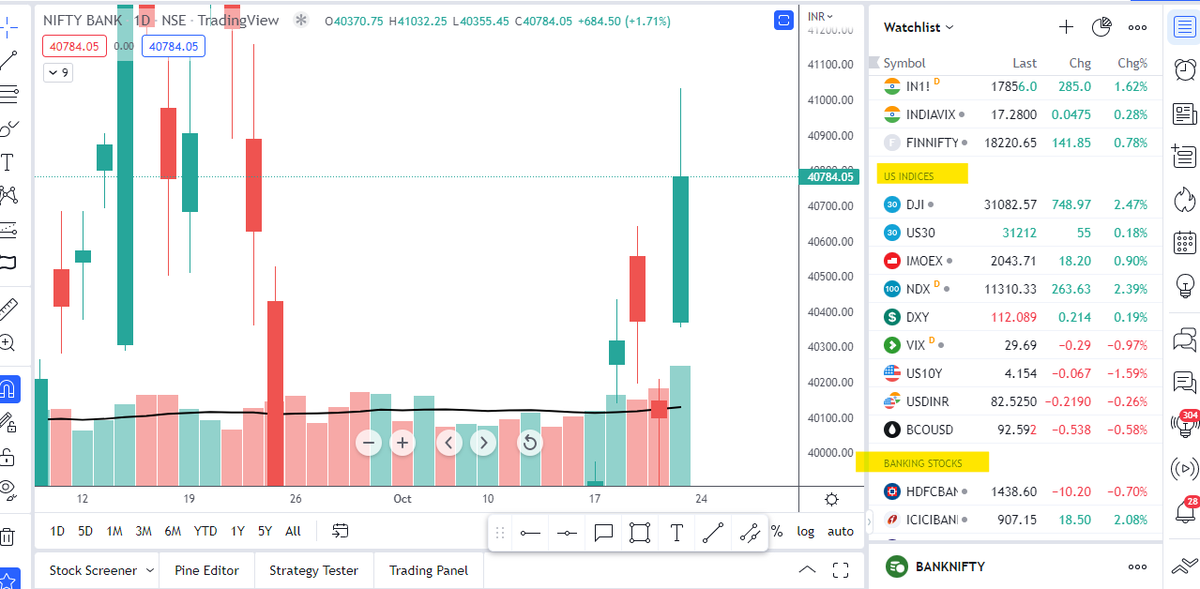
3/ Free Segregation into different headers/sectors: 1. Right click on any index/stock and click on "Add section above." 2. Segregate the stocks/indices based on where they belong. Check the below image:
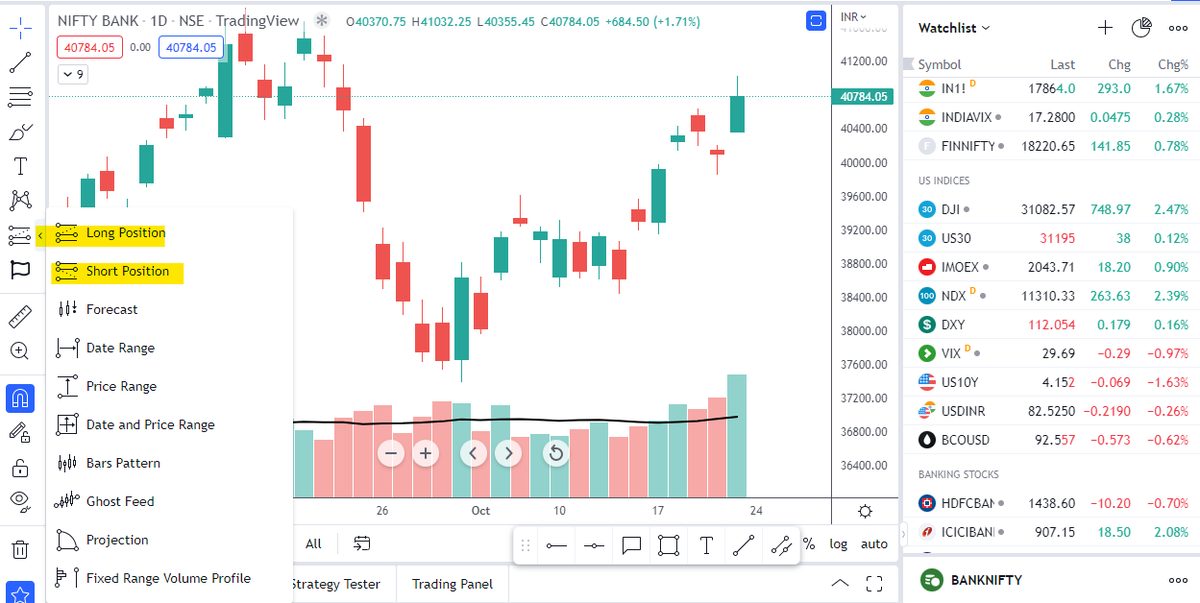
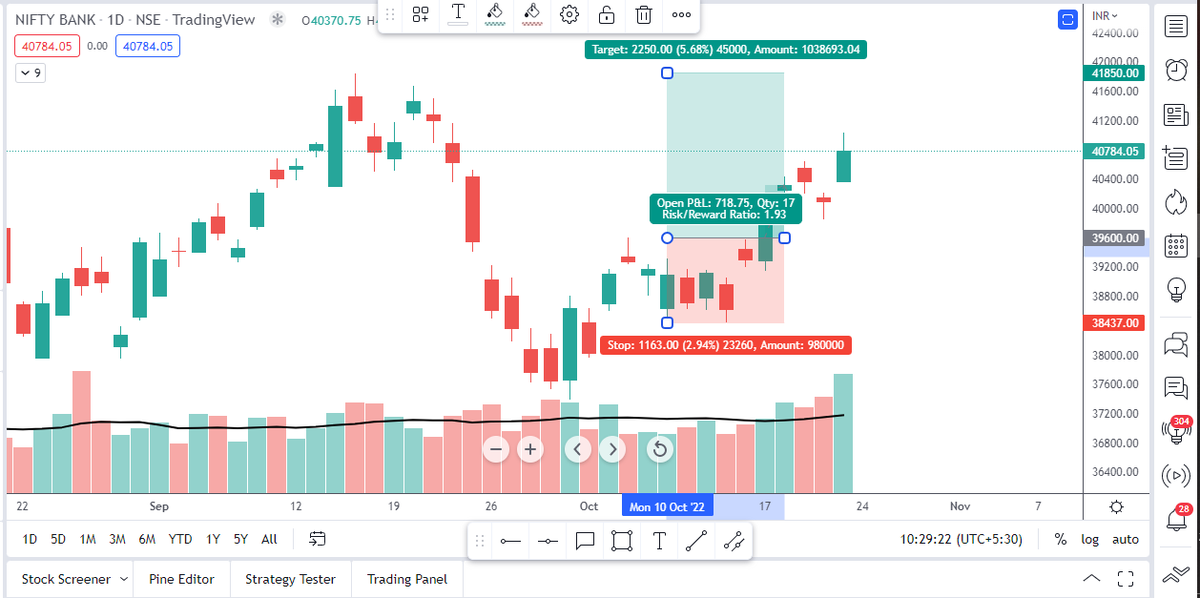
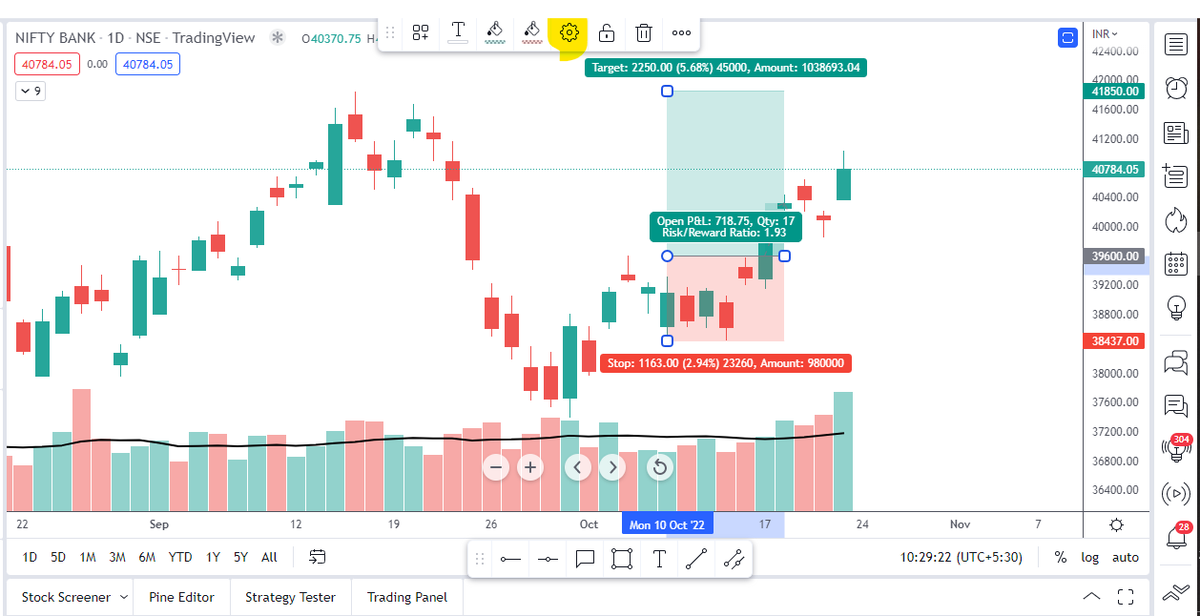
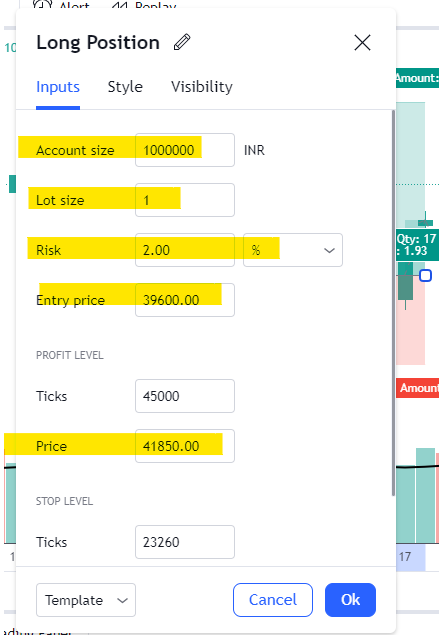
4/ Use the risk management tool for free: Step 1: Go to Prediction & Measurement Tab Step 2: Lets say its a long trade in BNF from 39600 for a tgt of 41850 with a SL of 38437 Step 3: Click on settings and input all the above details with your total account size.
5/ How to add more than 3 indicators on Tradingview for free: This would require you to code something on Pine editor. However don't get overwhelmed if you are not from the coding background, you can simply follow the steps mentioned in the below video https://www.youtube.com/watch?...
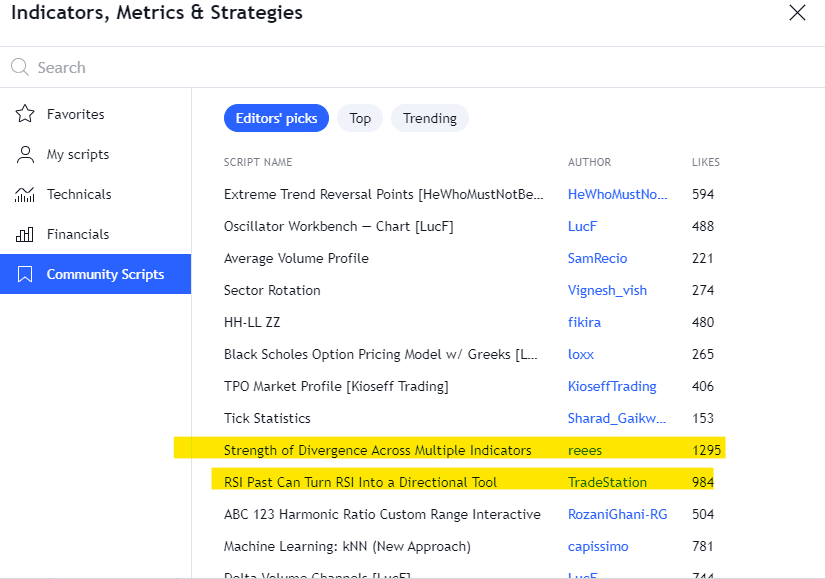
6/ Most used indicators: You can find out the most used indicators by people by checking the likes. More the likes usually means many of them find it useful. You can study the logics of these indicators.
7/ Access to Global Markets: Trading view covers various instruments, world markets, Cryptos and our favorite SGX as well :P All this can be tracked from your mobile app anytime and anywhere.
8/ Can publish ideas on Tradingview: It's not just a charting tool, you can create posts that can create a following for you. This would be best used by technical analysts.
9/ Can follow people just like Twitter: If you like charts for few people who keep publishing their charts on Trading view, you can simply find them and follow them on trading view. Now you would be notified every time they publish a chart.
10/ If you wish to avail Trading view premium features for free without much hassles: Simply sign up for a D-mat account in @zerodhaonline or @fyers1 or @DhanHQ platform.
If you want to know more about how to use Tradingview charting platform of @tradingview in @zerodhaonline then check this out: https://x.com/niki_poojary/sta...
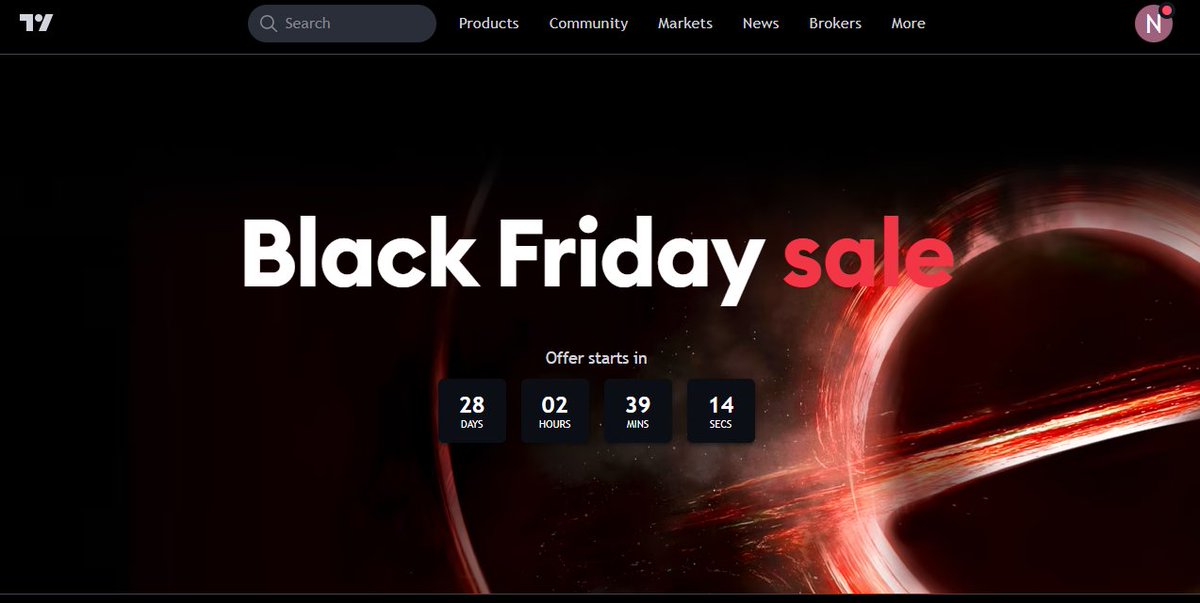
11/ Wish to purchase premium version of @tradingview : If you still prefer to purchase @tradingview premium version instead of going for these elongated hacks Then just wait for the Black Friday sale which is just 28days from today for a hefty discount.
That's a wrap! If you enjoyed this thread: 1. Follow us @AdityaTodmal & @niki_poojary for more threads on Price action, Option Selling & Trading strategies. We've got you covered. 2. RT the first Tweet to share it with your audience. I appreciate it!