
One day while looking at random m.2 stuff in an image search, I came across this interesting looking card labeled 'Intel Wireless Gigabit Sink' and got curious about what exactly it is
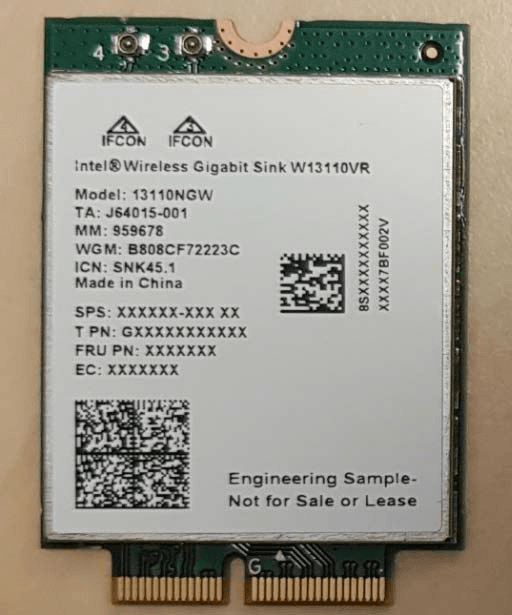
Turns out this card is the other half of a WiGig setup, usually found in WiGig docks! It's even found in StarTech's WiGig dock.
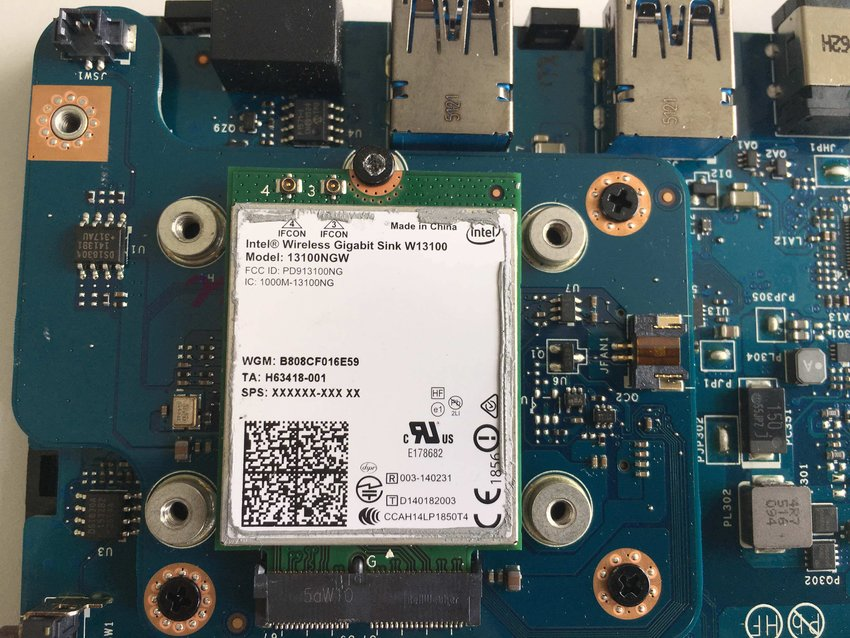
Very helpfully, the card is already labeled that it uses the m.2 G-key slot. In the m.2 spec this key is basically defined as the 'do whatever you want' key.
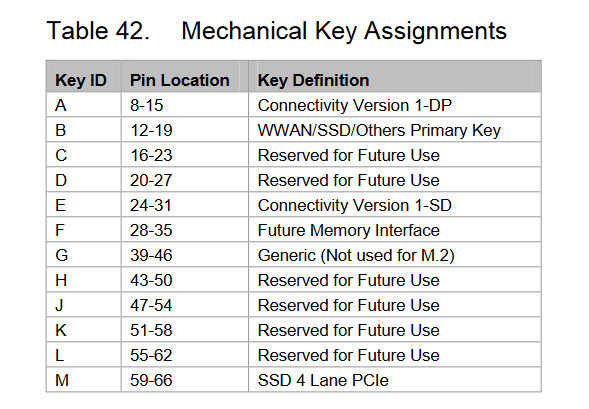
This lets Intel run 4 DP lanes, USB 3.0 and whatever else comes through WiGig without having to worry about staying within the limits of some defined pinout. But it can be dangerous as this means that any G-key slot or card can have completely different pinouts!
Luckily there aren't many devices with G-key slots or G-key cards around. In fact, this is the only example I've seen so far.
@WifiCable_ One day someone is going to get nailed buying a “wifi” m.2 card that turns out to have an auto-play ssd something something.