
Over the past year, I've generated 500+ web design leads using a "video audit" cold email strategy Here's a 3-step process you can follow to implement this strategy into your cold emails:
The 3 step process is as follows: 1. Pitch a website audit in your initial email 2. Record the website audit using Loom 3. Book a call on the backend of the video A bit more nuanced than a typical cold email, but it gets results.
Quick disclaimer... I outline the video strategy step by step in this thread so you can IMMEDIATELY implement it into your business. But, for obvious reasons, some of the sauce needs to remain a secret so the strategy doesn't become saturated...
If you want web design leads, you can hire my agency to send cold emails for you http://www.knowledgex.us Or join my program http://www.clientascension.com to learn how to send cold emails on your own In either case, Ill write your cold emails FOR you. With that said, let's dive in 👇
1. Pitching a website audit in your email To be completely honest, web design is a TOUGH offer to sell over cold email... Which is why you need to sell the AUDIT in your email instead of your SERVICES. To sell the audit, the only part of your email that changes is the CTA.
Here are a few great CTAs for website audits: - Mind if I share a quick video going over a few improvements you can make to your website? - Would you like to see a quick video explaining a few things on your site that are hurting your conversions?
Would you like to see a quick video highlighting some opportunities I see that can improve your website? Would you like to see a quick video going over a few changes you can make to your site to convert more customers? Would you be interested in a video audit of your site?
2. Record the audit using Loom The beauty of this strategy is you only need to record a website for WARM prospects... Prospects that reply to your email saying "yes" to your video request. Once you get a "yes", IF they're qualified, pull up their website and fire up Loom.
Before you shoot the video, find 2-3 things on their site that can be improved. Then, on the video say: "Hey NAME, Here are 3 things you can improve on your site to immediately convert more customers. First, ..." Then go through the 3 points as concisely as possible.
Once you finish talking through the 3 points, wrap the video with a strong CTA: "If this was valuable to you, let me know when you have a few minutes for a quick call so we can run through a more in-depth audit of your site together" The video should be 5 minutes max.
3. Booking a call on the backend Now that the video's recorded, it's KEY that you get the video viewed and responded to. First, make sure you EMBED the Loom thumbnail in your email. - Click the blue "share" button - Click "embed" - Copy the GIF thumbnail
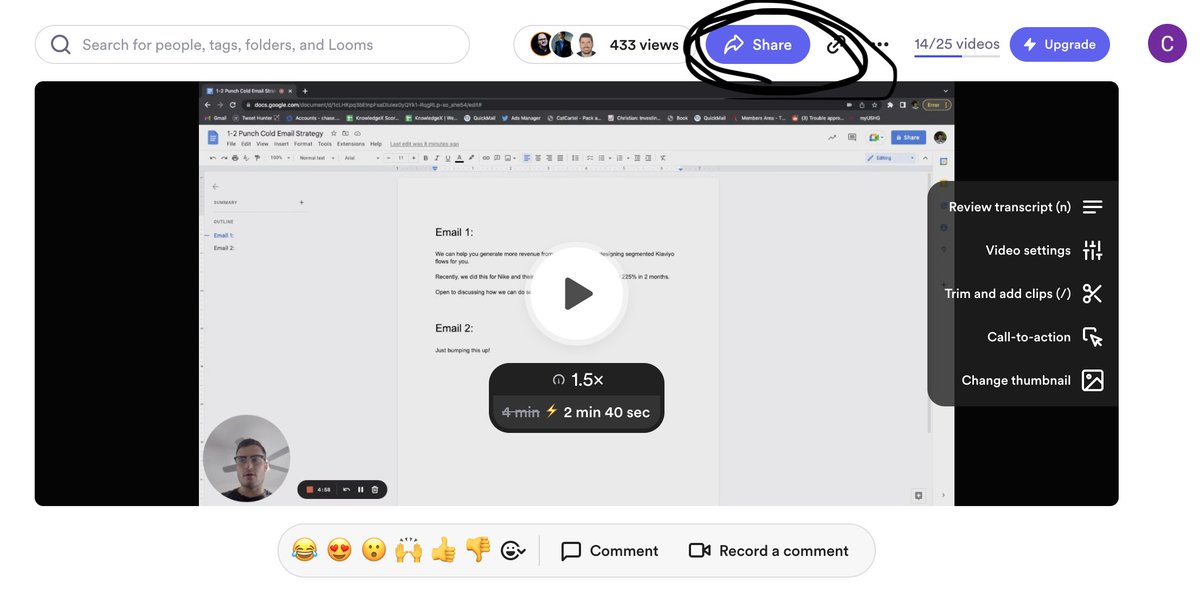
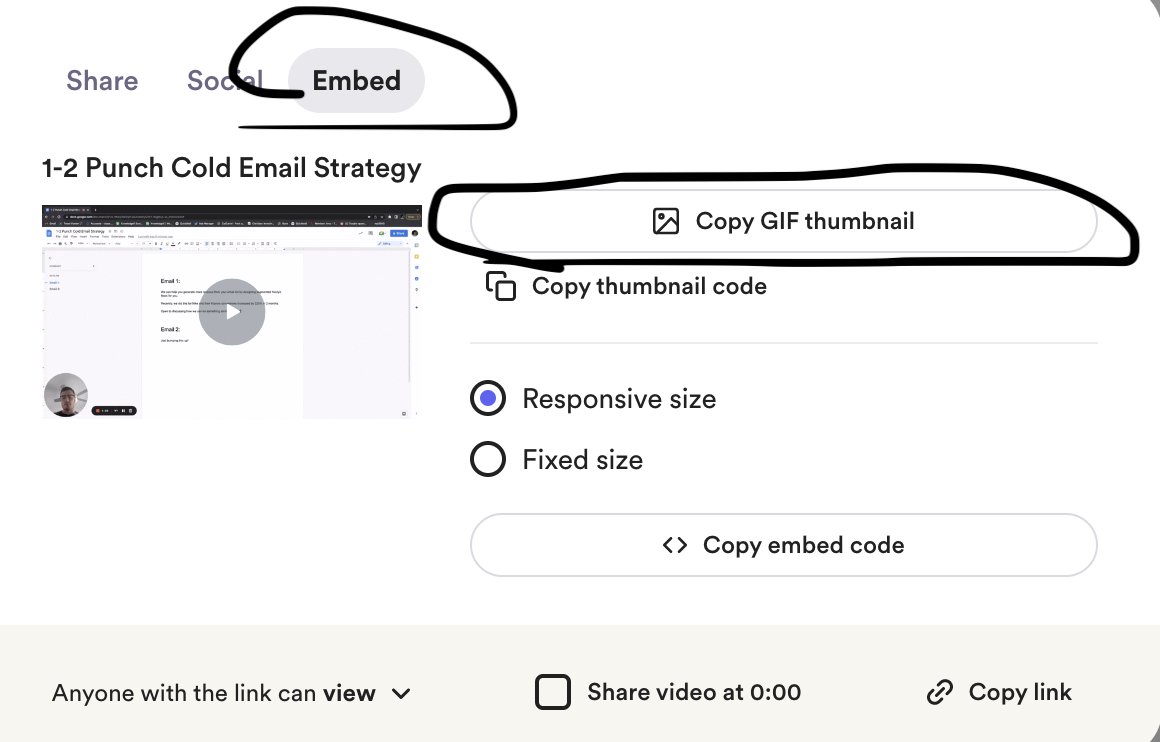
Now that you have the GIF copied, it should appear in your email as a thumbnail rather than a link. Once you paste the thumbnail into your email, the rest of your email copy should follow this template below:
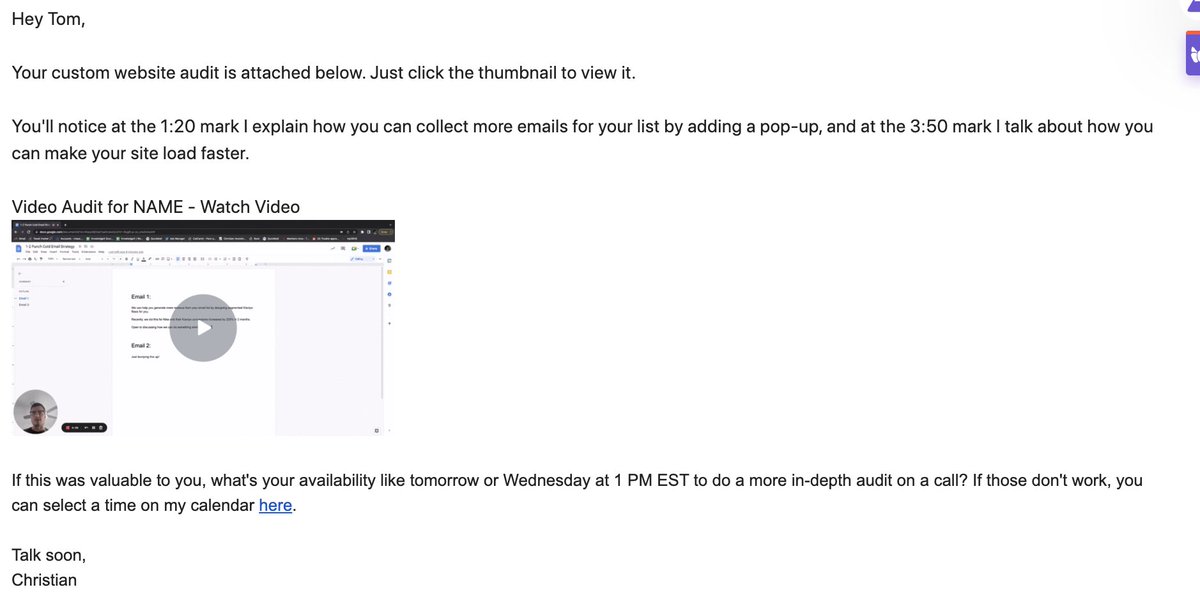
Couple notes on this: - Tell them to CLICK the thumbnail to the video. Sounds silly, but it will improve your "video watched" rate - Find 2 time stamps in the video and mention them in the email, will pique their interest enough to watch the whole video - Add a written CTA
For the CTA, make sure you list 2 times that work for you, then link your calendar. The less work for them, the higher likelihood of you locking down the call on calendar. "Does tomorrow or Wednesday work better?" Notice how this moves the frame away from "yes" or "no".
If you get ghosted after sending the video, be relentless with your follow ups... Here are some follow up templates: “Were you able to implement XYZ strategy I referenced at the 2:30 mark? How’d it work? If you have any more questions, let’s hop on a call.”
“You likely found something in the video you can apply right away… Happy to hop on a quick call to explain further.” (if they haven’t viewed the video) “Noticed you haven’t viewed the video yet. Once you see it, let me know if XYZ strategy was valuable to you"
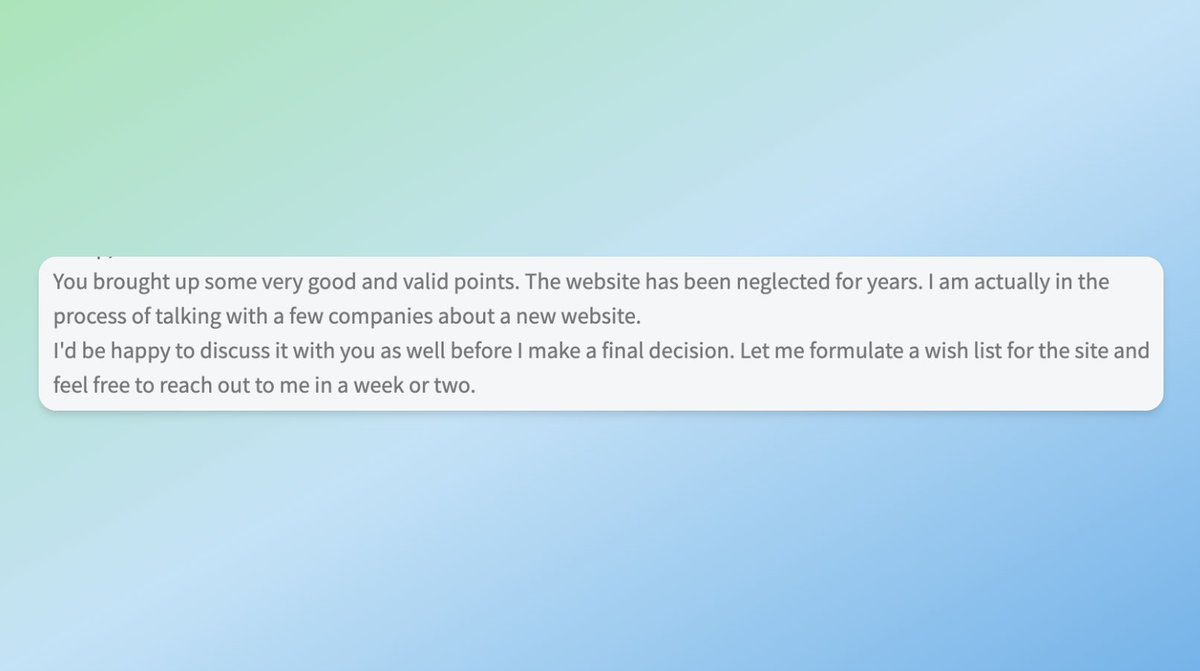
Once you follow this process step-by-step, you can expect replies like these:

This is probably my most actionable thread yet... If it was valuable to you, make sure you toss a RT to pass the thread on, and follow me @cbwritescopy for cold email threads like this one 🥂
If you want to use this strategy- WITH the sauce I can't share on Twitter - to generate qualified web design leads, You can hire my agency to send cold emails for you http://www.knowledgex.us Or join my program http://www.clientascension.com to learn how to send cold emails on your own
@cbwritescopy Can AI write the emails?
@cbwritescopy Incredible! Implementing this asap
@cbwritescopy As a web designer who has generated dozens of booked calls from Christian's cold email scripts - I can confirm true
@cbwritescopy Who can I speak with regarding this process?
@cbwritescopy Friggin fantastic thread. In a sea of giveaways and listicles, holy smokes it’s great to see a thread like this. I watched your video on this, and I can say that the thread is even better. Thanks for sharing.
@cbwritescopy Love the strategy. Bookmarked.
@cbwritescopy Video audits are gold personalized insights build instant trust. A game-changer for cutting through the cold email noise!
@cbwritescopy Legend!
@cbwritescopy Hey, @cbwritescopy is it possible for you to share an example of a video audit? It would be very helpful.
@cbwritescopy A video audit is literally the key.
@cbwritescopy @threadreaderapp unroll
@cbwritescopy absolute gems as always player
@cbwritescopy Top thread
@cbwritescopy /readwise save thread
@cbwritescopy Bookmarked! 🔥