
100FPS more (1,0.1%) by using RivaTuner instead of fps_max. Its a game changer for CS2. The higher the lows, the better your game feels. I will write the steps below so you can try it.
Tutorial here. It is pretty easy. https://fpsheaven.com/unlockin...
@fREQUENCYCS engine_low_latency_sleep_after_client_tick broke a couple of patches ago(atleast for fps_limit). There is an issue in CS2, where the FPS limiting microsleep comes before the client tick. I made a post about it when the command was introduced: https://www.reddit.com/r/Globa...
@vampH7per Excellent post brother. Great work
@fREQUENCYCS It's worth mentioning that this will affect your trust factor negatively
@OptimalHobo Does it though? I have no idea. I knew it did for CSGO but that might also be the case for 2. I hope not!
@fREQUENCYCS Why on earth would you still use a cap in-game when you're using Rivatuner? If you're using external software the in-game fps_max should be set to 0.

@opolitiskse This is mentioned because people will forget to uncap the ingame frames.
@fREQUENCYCS any other options we need? Application detection level?? anything? Thanks for all ya do in the fps community brother
@1CWB1 Hey, not really. Just select riva to run on startup
@fREQUENCYCS A lot of people say it generates input lag, wondering about this!
@fREQUENCYCS Is this causing any input lag/delay or not really? Thanks
@fREQUENCYCS Great thread! im guessing that raising the limit from 480 to 650 is not necessary if you're not ever seeing fps above.
@fREQUENCYCS Yo question how much fps on average should I be getting with a 12900k and 4070ti
@fREQUENCYCS following
@fREQUENCYCS Why Limit Change to rivas Lock?
@fREQUENCYCS @FACEITSupport Please add an exception to your AC for Rivatuner, the performance increase is massive 🥲
@fREQUENCYCS Quick testing on ancient, 6950xt & 12600k. Average of ~450fps, ~200 1% and ~100 0.1% with unlocked fps. Locking RivaTuner to 400 shoots my 1% to 350 and 0.1% to 200. It seems you should set limit slightly below your average fps for the best impact, otherwise my 0.1% are shit.
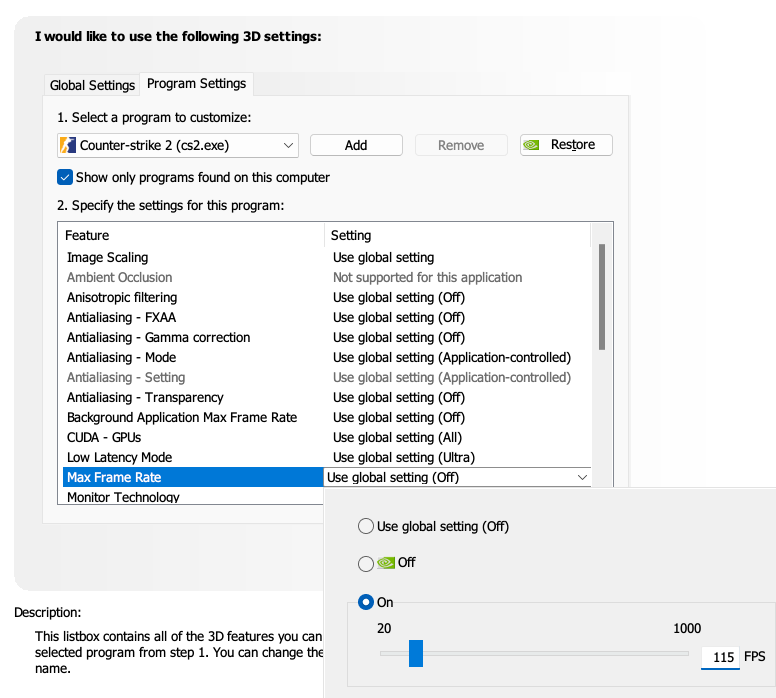
@fREQUENCYCS What about nvidia fps limiter?
@fREQUENCYCS since you've tested elsewhere, mind testing here too:
@fREQUENCYCS Can you make a short video on how to do it please ? It would be better than the website
@fREQUENCYCS RiverTuner better than fps limit in nvcp?
@fREQUENCYCS I just got at new PC friday with 7800x3d & 4070, and I keep experiencing stutters in both cs2 and Fortnite (the only games I've tested). Any idea why? Cs2 fluctuates alot between 450-600fps
@fREQUENCYCS Unfortunately not an option when you would like to play premiere or/and mm
@fREQUENCYCS Will capping the FPS using RivaTuner at a lower FPS such as 240 also yield the same benefits?
@fREQUENCYCS @rodrigojs99 Testa p nós
@fREQUENCYCS But if I cap my fps with riva tuner, what do I put in fps_max cs2 command? Cause atm for me it's on fps_max 0
@fREQUENCYCS Can you compare fps limit via RivaTuner to Nvidia Driver - does it the same? BC in driver you can set higher limit without tricks.
@fREQUENCYCS damn it really did make a difference, i dont hit the frame limit i set but i do feel instantly that its smoother 12400f 3060ti