
Tracking your @VesperFi Grow Pools with iYield is easy! 🚀 Track: ⚡️ Value in your preferred currency. ⚡️ Balance in the pool’s asset. ⚡️ Income in your preferred currency & APY. ⚡️ Value and balance of $VSP. Here’s how to get started 👇🧵
@VesperFi 1/ Click the “Add new” button (top right on desktop) or the “+” button (bottom right on mobile).

@VesperFi 2/ Add your @VesperFi position 🔹Enter your crypto address in the Search by crypto address field OR select “Add from #Web3 Wallet”

@VesperFi 3/ Select your position Search for your Vesper vault position in the results and click “Add.”
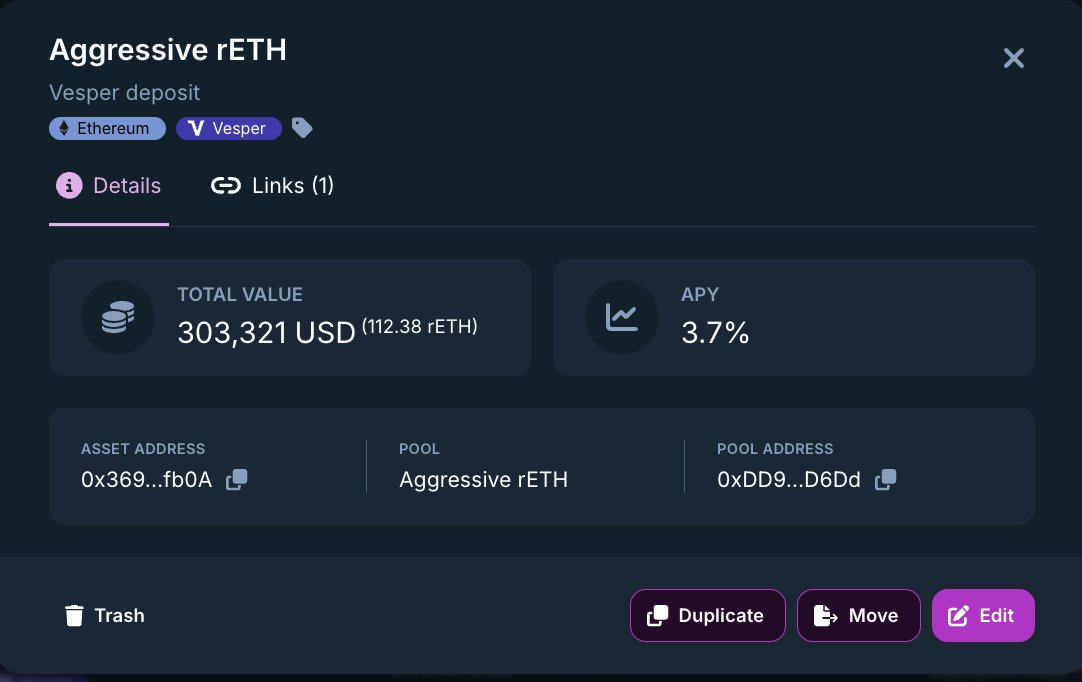
@VesperFi 4/ 🎨 Customize your position Make it your own by: ✨Adding a custom name ✨Tags ✨Linking manual expenses
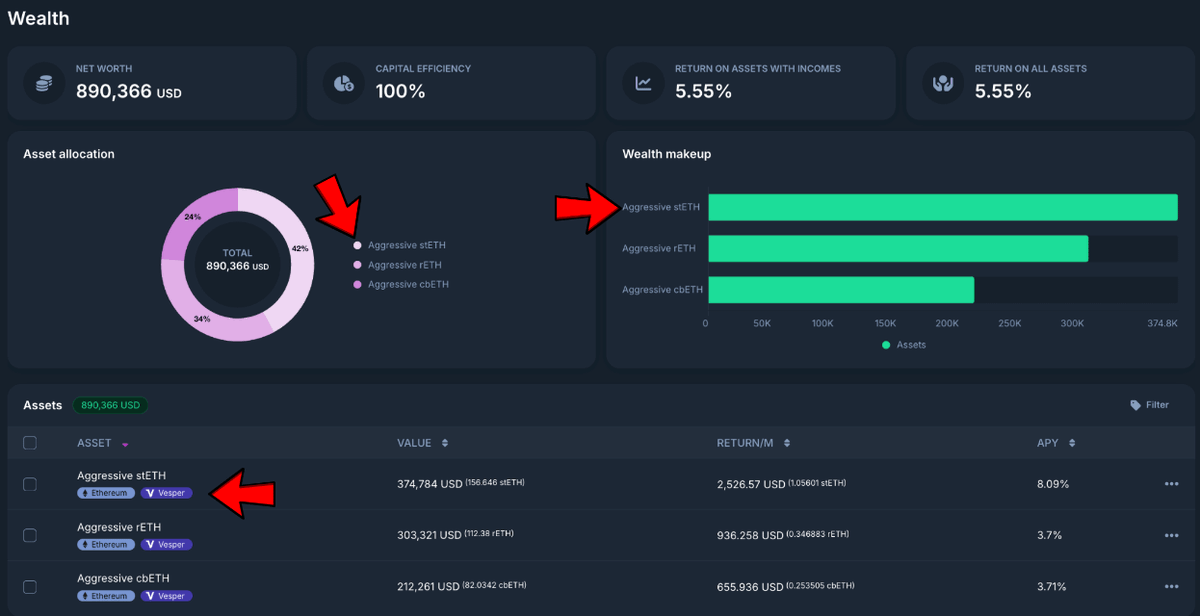
@VesperFi 5/ 📊 Track income effortlessly Your Vesper position’s income updates automatically and is displayed in the Budget Dashboard.

@VesperFi 6/ 🎥 Watch the full walkthrough here: https://www.youtube.com/watch?...
@VesperFi 7/ Head over to https://go.iyield.com/Vesper and get started today!