
HOW TO FIX: SIMULATION LAG! 🗣️ THIS DIVA FOUND A SOLUTION AND WILL NOT GATEKEEP IT! UR WELCOME! 🙂↕️
Quicker Sim Autonomy & Simulation Lag Improvements by coolspear! https://simsasylum.com/tfm/ind... - Mod doesn't need updates often and is reportedly working fine with the current one! - Needs a special overrides folder in your mods folder
How to install: Open your mods folder, create a new folder named [Overrides] and paste the file in there, I use the TS33 (Default) version of the mod! Create a back-up of your Resource.cfg file on your desktop, open the one in your mods folder delete everything, paste this:
Priority 500 PackedFile *.package PackedFile */*.package PackedFile */*/*.package PackedFile */*/*/*.package PackedFile */*/*/*/*.package PackedFile */*/*/*/*/*.package
Priority 600 PackedFile [Overrides]/*.package PackedFile [Overrides]/*/*.package PackedFile [Overrides]/*/*/*.package PackedFile [Overrides]/*/*/*/*.package PackedFile [Overrides]/*/*/*/*/*.package
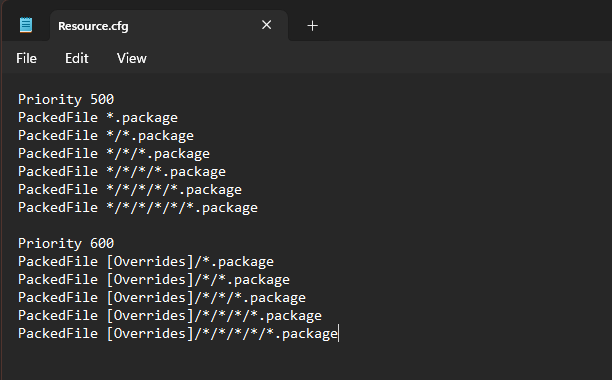
Once you have saved - Congrats! The mod is now installed, you can try and expirement with other versions but I was too scared tehe <3 Anyways this mod is also fully compatible with both: TURBODRIVER's Social Bunny Simulation Lag Fix TURBODRIVER's Simulation Timeline Unclogger
It's NOT compatible with Srsly's Simulation Lag Fix and Zero's mod.
My game is way more responsive now, mod works perfectly for me - if it doesn't for you don't yell at me i tried helping you and that's really rude!!!!