
AI can build landing pages, but most look generic. Here’s my structured approach using @lovable_dev + 21stdev to create high-converting, polished designs, FAST. A complete breakdown:
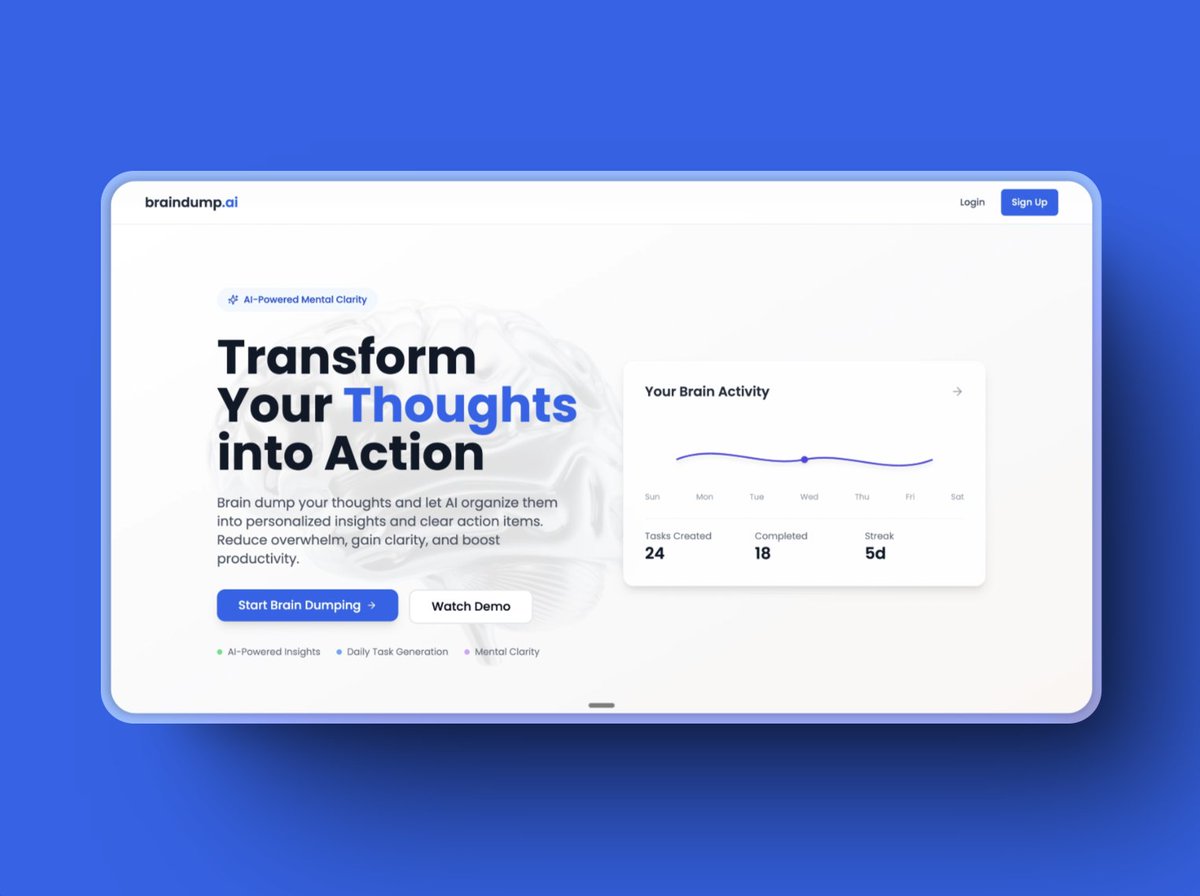
1. Start with Design Inspiration & Structure Before touching Lovable, I gather design references from Dribbble, Behance, and top SaaS landing pages. I focus on: - Clean typography and spacing - High-converting CTAs - Smooth animations and interactions Good design starts with understanding what works.
2. Convert Ideas into a Structured Layout Instead of randomly prompting Lovable, I generate a detailed landing page structure using a custom GPT prompt generator (will share the prompt tomorrow along with the video based on this topic) This includes: - Page sections (hero, features, CTA, FAQ, footer) - UI elements, colors, and typography - Hover states, animations, and micro-interactions This ensures AI creates something well-planned, not random.
3. Generate the First Draft in @lovable_dev I feed Lovable two things: - A detailed textual description of the page - A design reference screenshot This leads to a much more accurate output compared to vague prompts.
4. Refine with 21stdev for High-Quality UI Lovable speeds up the base design, but I fine-tune it using 21stdev’s UI components to polish the final look. Some key pre-built components: - Navigation bars with hover effects - Optimized hero sections - Pre-styled feature blocks - High-converting CTA sections This eliminates unnecessary manual adjustments.
5. Fix AI Misinterpretations AI-generated layouts always need refinement. I fix: - Branding & colors (Lovable defaults to blue, I align it to the brand) - Spacing & layout (proper padding and margins) - Typography (ensuring readability and consistency) - Backgrounds & depth (subtle gradients > flat colors) This step makes the design feel intentional, not AI-generated.
6. Mobile Optimization is Non-Negotiable Most users browse on mobile, so I make sure: - Input fields go full-width for better usability - Font sizes adjust for readability - Buttons are tap-friendly - Sections stack smoothly Skipping this step kills conversions.
7. Add Subtle Animations for a Modern Feel A static page feels outdated. I add: - Smooth fade-ins for hero sections - Button hover effects - Feature sections that slide in on scroll - Background animations for depth This makes the page feel polished without being overwhelming.
8. Deploy with a single click Lovable lets you launch your web app instantly. Once tested, connect a custom domain via Netlify, and your site is live, no extra setup needed.
Why This Works Better Than Relying Purely on AI Most people expect AI to generate a perfect design on its own. It doesn’t work like that. With a structured approach: - The AI output is much closer to the final version from the start - I spend less time fixing errors - The page has a clear layout instead of random sections thrown together Lovable + 21stdev lets me build fast without sacrificing quality.
Key Takeaways - AI-generated designs need structure before prompting - Lovable + 21stdev is a game-changer for AI-powered landing pages - AI speeds up development, but manual refinements are still necessary - Animations & interactions elevate the user experience This is the fastest and most effective way I’ve found to build landing pages that look great and convert well. A detailed video on this is coming tomorrow. Stay tuned!