
🔥 Most applications need to export and import large amounts of data. It is very easy to: - Waste lots of memory - Perform hundreds or thousands of unnecessary DB queries You can avoid them by learning some pretty simple techniques. 🧵 Keep Reading

1/ When it comes to working with larger datasets one of the best you can apply to any problem is chunking. Divide the dataset into smaller chunks and process them. It comes in many different forms.
2/ Let's start with a simple CSV or XLS export since it's a common feature in many applications. laravel-excel is a pretty good package that you can use. Here's a basic export:
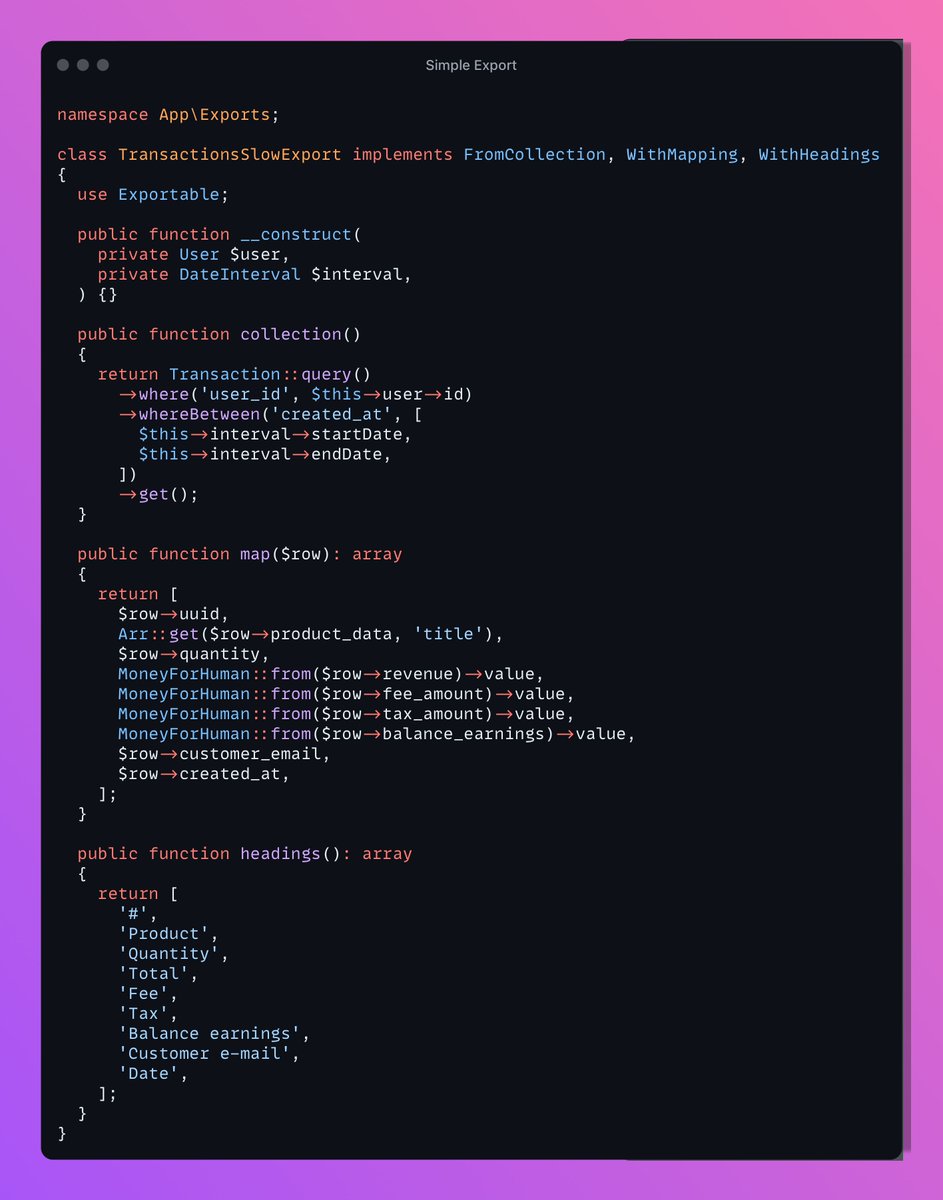
3/ I've seen dozens of exports like this one over the years. It creates a CSV from a collection. In the collection method, you can define your collection which is 99% of the time the result of a query. Nice and simple, right?
4/ However, an export such as this one, has two potential problems: - The collection method runs a single query and loads each and every transaction into memory - The `map` function will run for each transaction. If you execute only one query here, it'll run N times
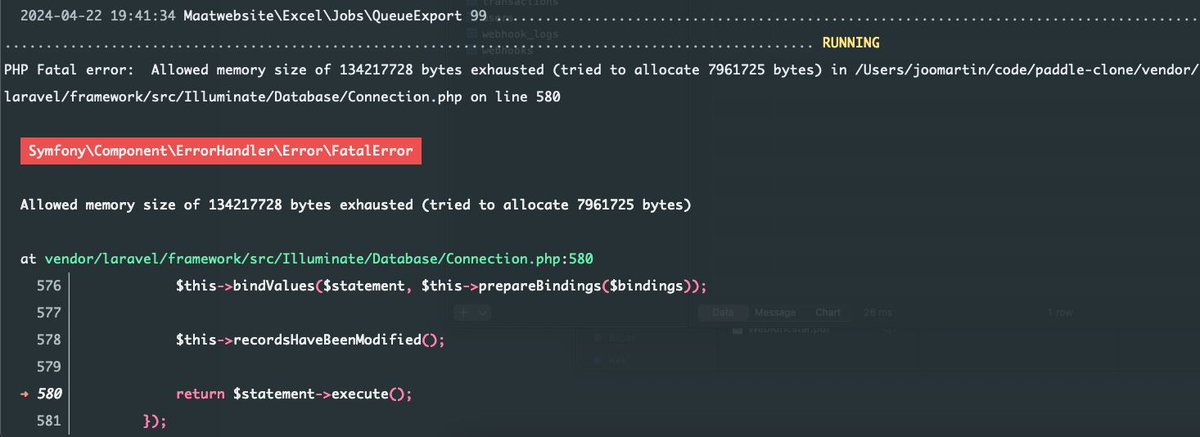
5/ Be aware of these things because it's pretty easy to kill your server with a poor export. The above job has failed with only 2,000 transactions:
6/ Fortunately, there's a much better export type than FromCollection, it is called FromQuery. This export does not define a Collection but a DB query instead that will be executed in chunks by laravel-excel. This is how we can rewrite the export class:
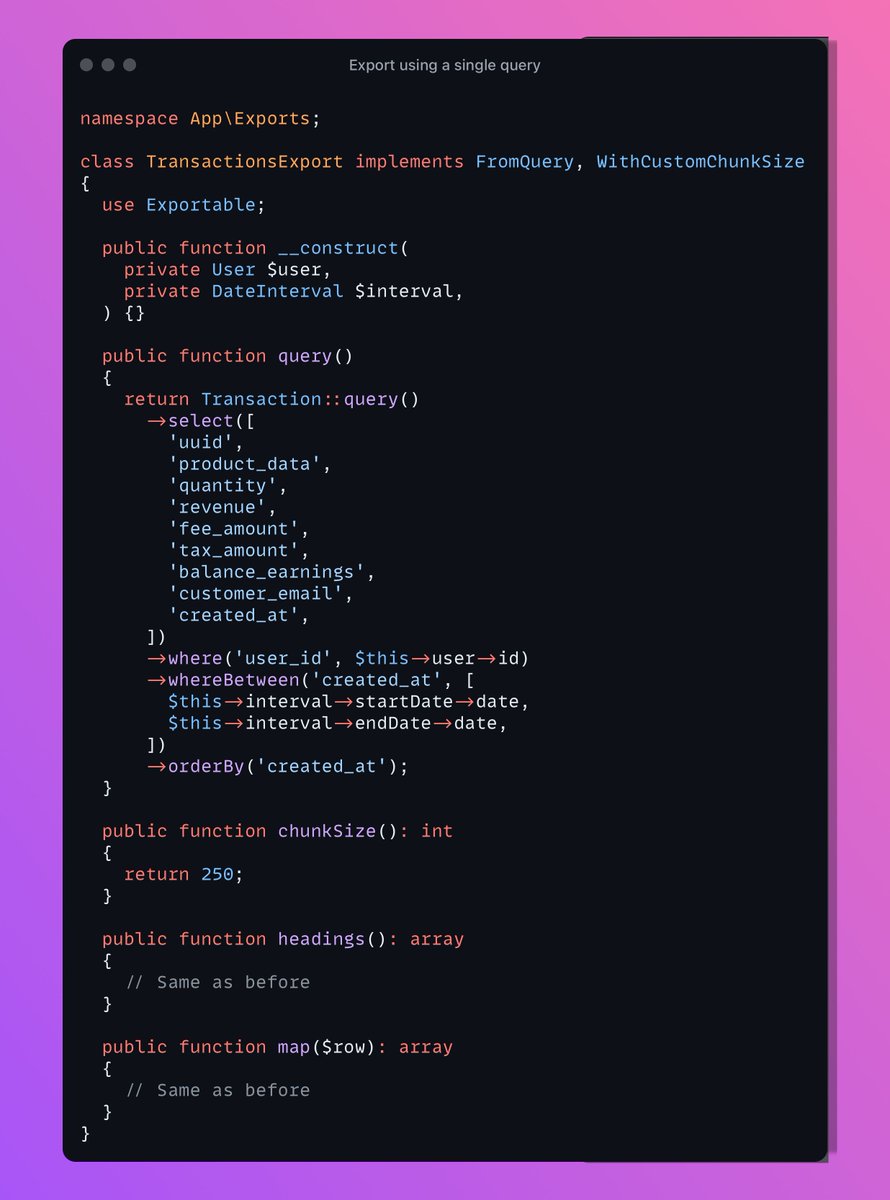
7/ Instead of returning a Collection the query method returns a builder. - Queued exports (using the Exportable trait and the queue method) are processed in chunks - If the export implements FromQuery the number of jobs is calculated by query()->count() / chunkSize()
8/ In the chunkSize we can control how many jobs we want. If we have 5,000 transactions for and chunkSize() returns 250 then 20 jobs will be dispatched each processing 250 transactions. Using the techniques above, exporting 10k transactions is a walk in the park:

9/ So there's a huge difference between the two export classes. The first one failed exporting only 2,000 transactions. The second one processed 10,000 of them. That's the power of chunking larger data sets.
10/ Thank you if you're still here! Next week I'm gonna release a book called Building a database engine. Don’t miss out https://thedatabasebook.com/