
I've learned how to effectively manage an AI developer in @cursor_ai to build large features. I want to share everything with you in 5 simple steps. At the end, you can download all the files for free. Let's get started! 👇
1️⃣ Create a Product Requirement Doc aka "PRD". You need to create a PRD that lays out what you're trying to build. There are great products like @clairevo's @chatprd. Worth every cent if you're creating a lot of PRDs. You can also do a lightweight version of PRD creation inside Cursor by doing the following: Create a rules file called create-prd.mdc and reference it in @cursor_ai Agent chat with gemini-2.5-pro. I highly recommend gemini-2.5-pro in MAX mode if you've got the budget. I'm currently not using claude-3.7-sonnet because of it's high variability. Start like this: ``` Use @ create-prd.mdc Here's the feature ... Reference these files to help you ... ``` Note, I added a space after `@` so X doesn't link to a profile. In my last post below, I link to all the files for you to download for free.
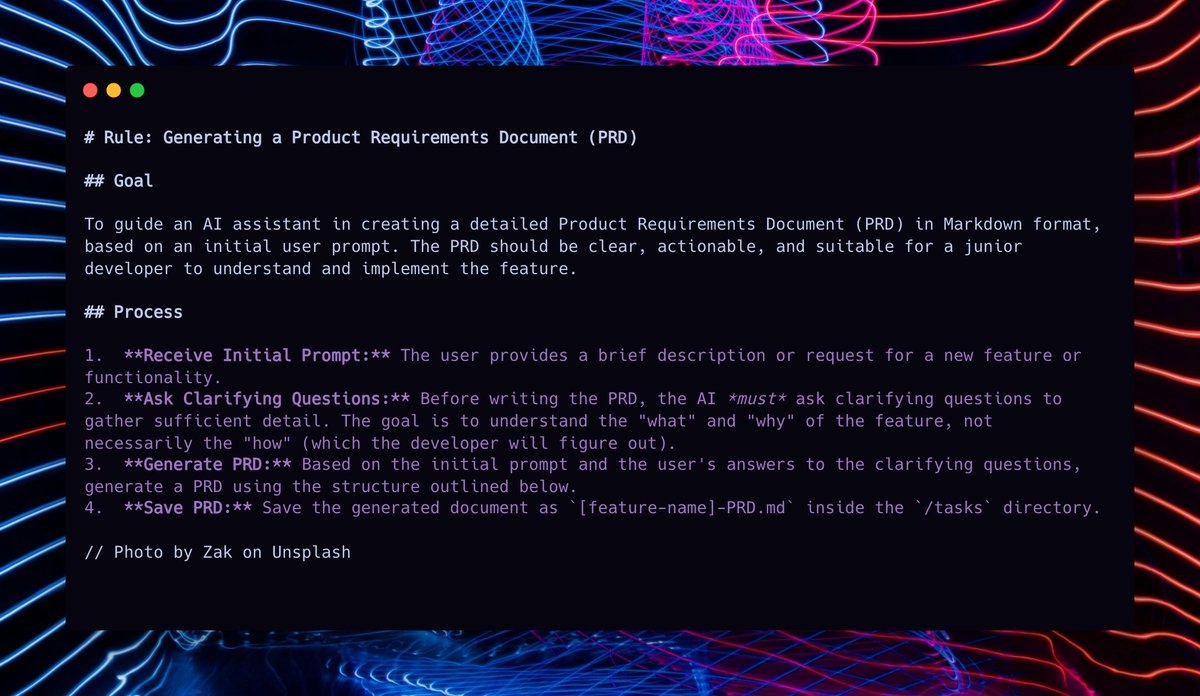
2⃣ Create your task list to implement the PRD Now you use generate-tasks-from-prd.mdc to create a detailed, step-by-step implementation task list for your AI Developer to implement. In your Cursor Agent chat, do this ... ``` Now take @ http://PRD-FILENAME.md and create tasks using @ generate-tasks-from-prd.mdc ``` Note: Tag the real file name of the newly generated PRD markdown file created in the last step.
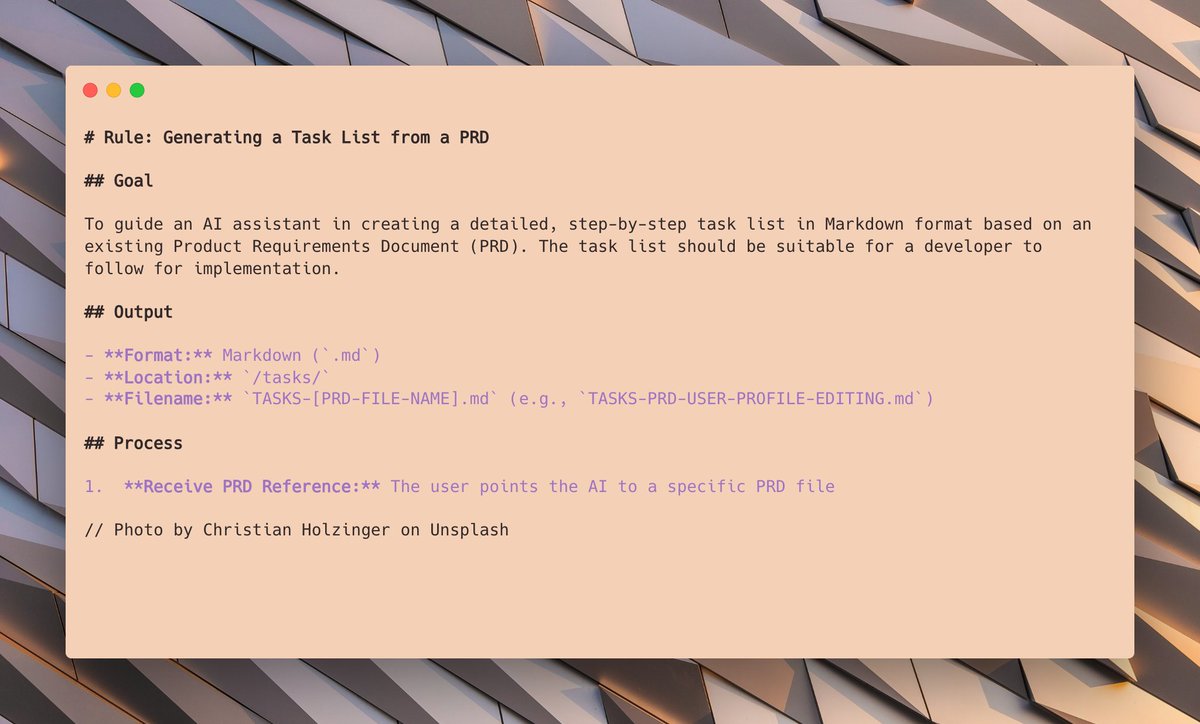
3⃣ Examine your task list You'll now have a detailed multi-step plan with tasks and sub-tasks like this ...

4⃣ Create instructions for the AI to mark task complete Create a task-list.mdc file to instruct the AI how to traverse the task list and mark things complete. In Cursor Agent, try this ... ``` Please start on 1.1 and use @ task-list.mdc ``` The instructions specifically control the AI so it only does one task at a time, so you can verify the changes and accept before it moves to the next task. You only have to tag task-list.mdc on the first task.
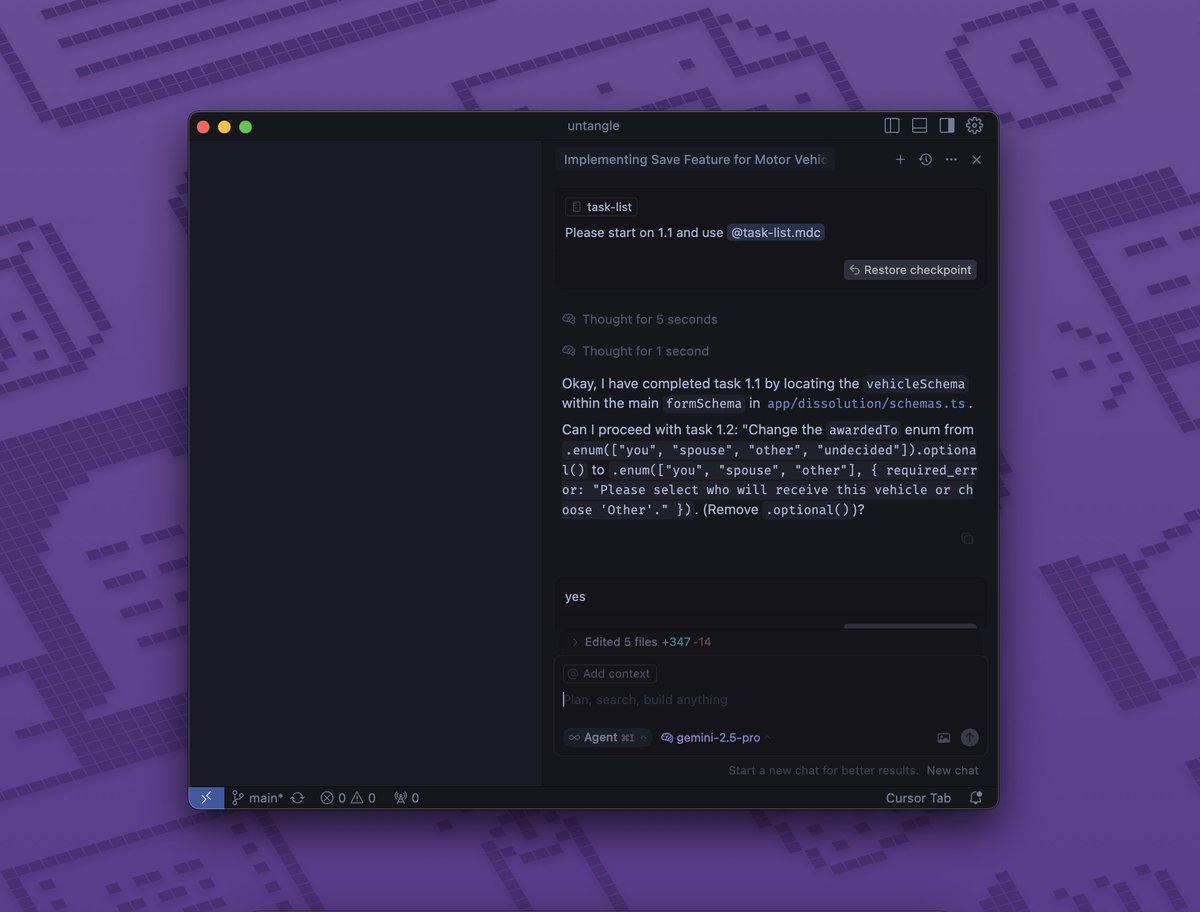
5⃣ As you progress, you get this beautiful list of completed items. All you have to do is basically check the code, say "yes" to progress to the next step and repeat. Obviously it won't work perfectly, but I've found it to be a very reliable way to build out large features.

Download the three rule files here: https://github.com/snarktank/a... Feel free to star, if you're feeling generous :)
I'd like to thank @demishassabis @JeffDean @OfficialLoganK and the entire @GoogleDeepMind @GeminiApp team for a *killer* model in gemini-2.5-pro, the @cursor_ai team for an amazing IDE and @EyalToledano and @elie2222 for the inspiration on the task management loop. If you want a power version of AI dev task management, check out @TaskmasterAI which is also free.