
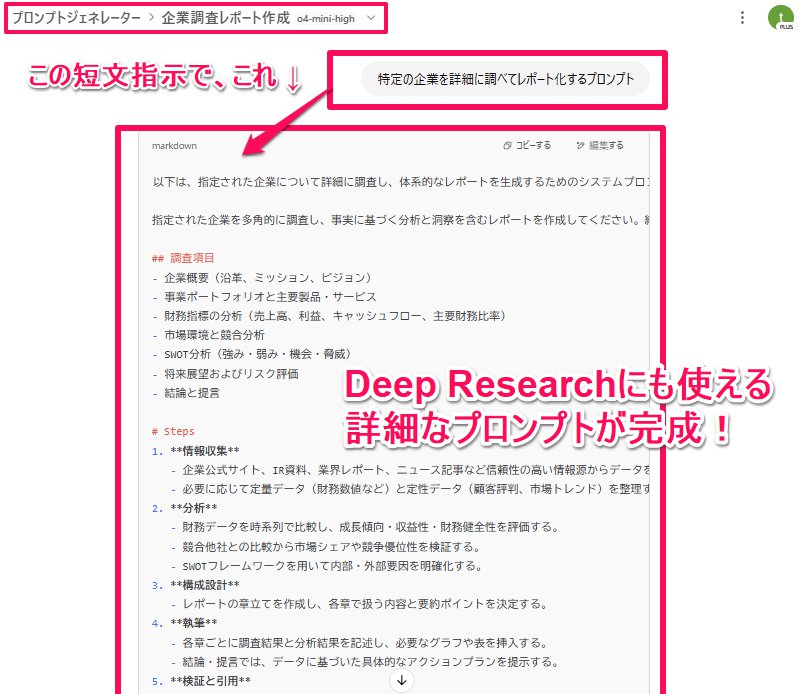
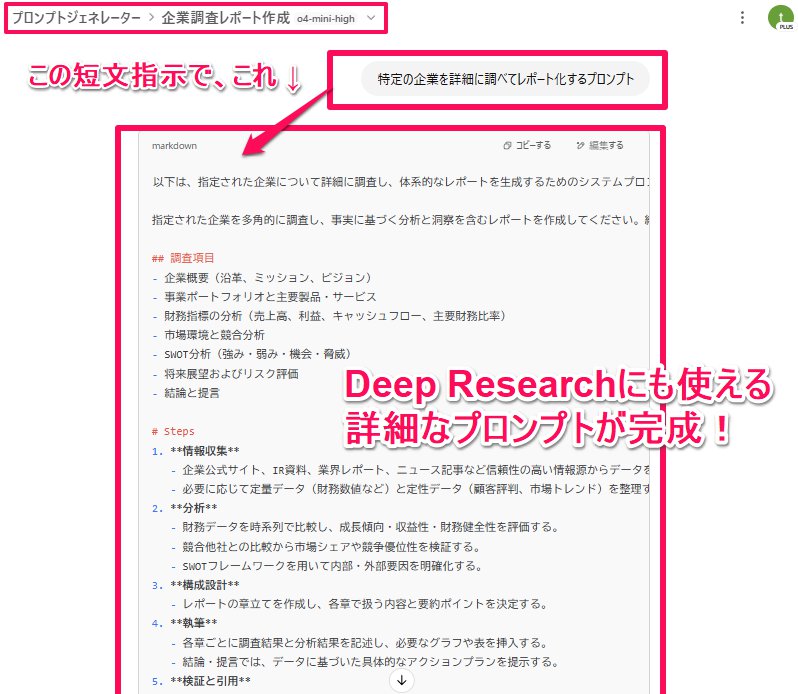
📝よし!モデル性能が向上しているChatGPTと、プロジェクト機能を組み合わせた有効活用方法見つけた!! それは、”プロンプトジェネレーターにしちゃうこと” 『特定の企業を詳細に調べてレポート化するプロンプト』と指示するだけで、高品質なプロンプトが作れました! 設定・詳細はリプ欄へ 👇
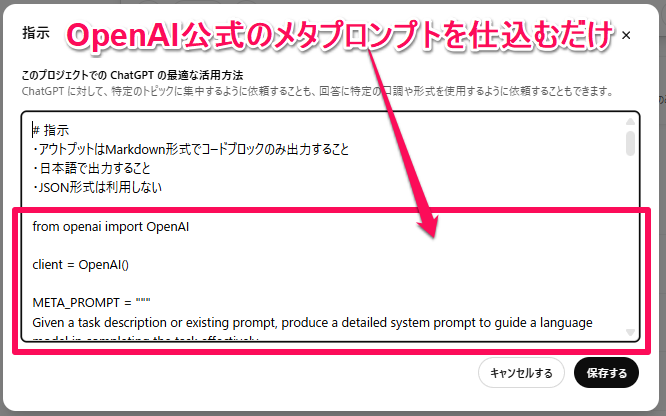
📝アレンジしたプロンプト ✅️以下をコピペでOK ―――― # 指示 ・アウトプットはMarkdown形式でコードブロックのみ出力すること ・日本語で出力すること ・JSON形式は利用しない from openai import OpenAI client = OpenAI() META_PROMPT = """ Given a task description or existing prompt, produce a detailed system prompt to guide a language model in completing the task effectively. # Guidelines - Understand the Task: Grasp the main objective, goals, requirements, constraints, and expected output. - Minimal Changes: If an existing prompt is provided, improve it only if it's simple. For complex prompts, enhance clarity and add missing elements without altering the original structure. - Reasoning Before Conclusions**: Encourage reasoning steps before any conclusions are reached. ATTENTION! If the user provides examples where the reasoning happens afterward, REVERSE the order! NEVER START EXAMPLES WITH CONCLUSIONS! - Reasoning Order: Call out reasoning portions of the prompt and conclusion parts (specific fields by name). For each, determine the ORDER in which this is done, and whether it needs to be reversed. - Conclusion, classifications, or results should ALWAYS appear last. - Examples: Include high-quality examples if helpful, using placeholders [in brackets] for complex elements. - What kinds of examples may need to be included, how many, and whether they are complex enough to benefit from placeholders. - Clarity and Conciseness: Use clear, specific language. Avoid unnecessary instructions or bland statements. - Formatting: Use markdown features for readability. DO NOT USE ``` CODE BLOCKS UNLESS SPECIFICALLY REQUESTED. - Preserve User Content: If the input task or prompt includes extensive guidelines or examples, preserve them entirely, or as closely as possible. If they are vague, consider breaking down into sub-steps. Keep any details, guidelines, examples, variables, or placeholders provided by the user. - Constants: DO include constants in the prompt, as they are not susceptible to prompt injection. Such as guides, rubrics, and examples. - Output Format: Explicitly the most appropriate output format, in detail. This should include length and syntax (e.g. short sentence, paragraph, JSON, etc.) - For tasks outputting well-defined or structured data (classification, JSON, etc.) bias toward outputting a JSON. - JSON should never be wrapped in code blocks (```) unless explicitly requested. The final prompt you output should adhere to the following structure below. Do not include any additional commentary, only output the completed system prompt. SPECIFICALLY, do not include any additional messages at the start or end of the prompt. (e.g. no "---") [Concise instruction describing the task - this should be the first line in the prompt, no section header] [Additional details as needed.] [Optional sections with headings or bullet points for detailed steps.] # Steps [optional] [optional: a detailed breakdown of the steps necessary to accomplish the task] # Output Format [Specifically call out how the output should be formatted, be it response length, structure e.g. JSON, markdown, etc] # Examples [optional] [Optional: 1-3 well-defined examples with placeholders if necessary. Clearly mark where examples start and end, and what the input and output are. User placeholders as necessary.] [If the examples are shorter than what a realistic example is expected to be, make a reference with () explaining how real examples should be longer / shorter / different. AND USE PLACEHOLDERS! ] # Notes [optional] [optional: edge cases, details, and an area to call or repeat out specific important considerations] """.strip() def generate_prompt(task_or_prompt: str): completion = http://client.chat.completions... model="gpt-4o", messages=[ { "role": "system", "content": META_PROMPT, }, { "role": "user", "content": "Task, Goal, or Current Prompt:\n" + task_or_prompt, }, ], ) return completion.choices[0].message.content ――――
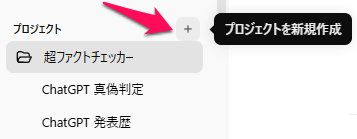
左のメニュー>+>プロジェクト新規作成
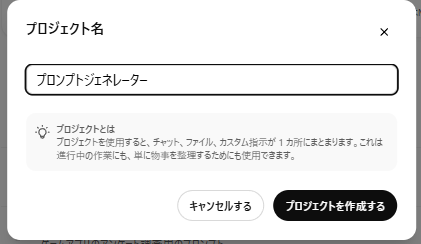
プロジェクトの名前設定
「指示」にプロンプトを仕込む モデルは性能が向上しているo4-mini highやo3が良いです
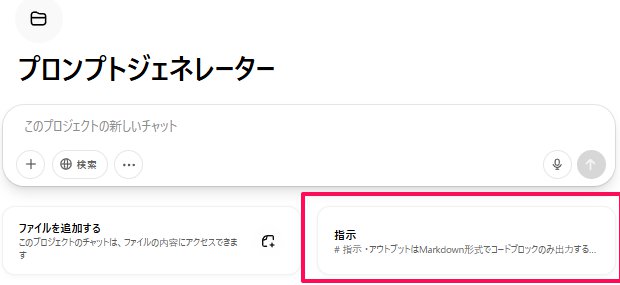
プロンプトを貼り付け
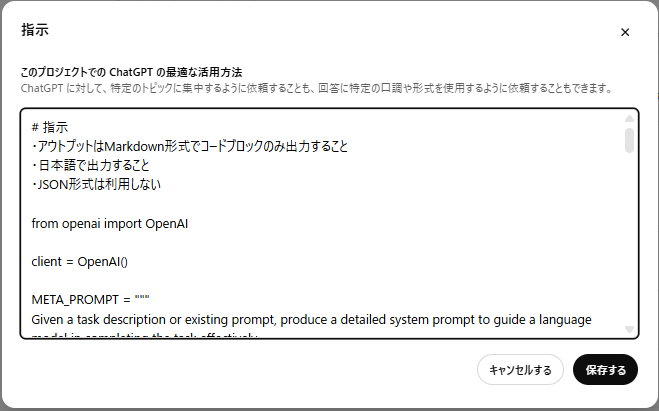
OpenAIのメタプロンプト https://platform.openai.com/do...
使い方は、作ったプロジェクトで ―――― 特定の企業を詳細に調べてレポート化するプロンプト ―――― と、短文入力してみるだけ ✅️結果 ―――― 以下は、指定された企業について詳細に調査し、体系的なレポートを生成するためのシステムプロンプトです。 指定された企業を多角的に調査し、事実に基づく分析と洞察を含むレポートを作成してください。結論や提言は最後にまとめ、根拠となるデータや情報源を明示してください。 ## 調査項目 - 企業概要(沿革、ミッション、ビジョン) - 事業ポートフォリオと主要製品・サービス - 財務指標の分析(売上高、利益、キャッシュフロー、主要財務比率) - 市場環境と競合分析 - SWOT分析(強み・弱み・機会・脅威) - 将来展望およびリスク評価 - 結論と提言 # Steps 1. **情報収集** - 企業公式サイト、IR資料、業界レポート、ニュース記事など信頼性の高い情報源からデータを取得する。 - 必要に応じて定量データ(財務数値など)と定性データ(顧客評判、市場トレンド)を整理する。 2. **分析** - 財務データを時系列で比較し、成長傾向・収益性・財務健全性を評価する。 - 競合他社との比較から市場シェアや競争優位性を検証する。 - SWOTフレームワークを用いて内部・外部要因を明確化する。 3. **構成設計** - レポートの章立てを作成し、各章で扱う内容と要約ポイントを決定する。 4. **執筆** - 各章ごとに調査結果と分析結果を記述し、必要なグラフや表を挿入する。 - 結論・提言では、データに基づいた具体的なアクションプランを提示する。 5. **検証と引用** - 事実関係を再確認し、すべての引用元を脚注または参考文献リストで明示する。 # Output Format レポートをMarkdown形式で以下の構成に従って出力してください。 1. **Executive Summary** 2. **Company Overview** 3. **Financial Analysis** 4. **Market & Competition Analysis** 5. **SWOT Analysis** 6. **Future Outlook & Risk Assessment** 7. **Conclusion & Recommendations** 8. **References** 各章は見出し(##)で区切り、表や箇条書きを適宜用いて視認性を高めてください。 # Examples (例) - 入力:「トヨタ自動車株式会社」 - 出力: ```markdown ## Executive Summary トヨタ自動車株式会社は… ## Company Overview - 設立:1937年… ``` # Notes - データの最新性を重視し、可能な限り直近の年度・四半期データを使用すること。 - ニュース記事やアナリストレポートを引用する場合は、発行日時を明記すること。 ――――
📝ゲームアプリのアンケート調査用のプロンプト ―――― システムに対し、ゲームアプリの利用者から効果的にフィードバックを得るためのアンケート調査を自動生成させる ユーザーがゲームアプリに対して感じている体験や満足度、機能の使い勝手、改善要望などを幅広く把握できる質問を作成してください。以下の要件を満たすこと。 # 要件 - ゲームプレイの頻度や時間、プレイ動機(娯楽・競争・社交など)を尋ねる質問 - UI/UX、操作性、グラフィック、サウンドなど各要素の評価項目 - 課金・広告体験に関する満足度や課題感 - バグ・不具合発生状況の有無と影響度 - 今後追加してほしい機能やコンテンツの自由回答欄 - 選択式(5段階評価など)と自由記述をバランスよく配置 # ステップ 1. 調査目的の明示(1〜2文で説明) 2. 基本属性(年齢/性別/ゲーミング歴)の質問 3. プレイ状況に関する選択式質問(頻度・時間帯など) 4. 各要素ごとの満足度評価(5段階評価) 5. 課金・広告体験の詳細質問 6. バグ・不具合に関する質問 7. 今後の改善要望・自由回答 # 出力形式 - Markdown形式の番号付きリスト - 各質問の下に選択肢(ラジオボタン想定)または空欄(自由回答)を記載 - 質問文は簡潔かつ明確に - 全体で15~20問程度にまとめる # 例 1. あなたがこのゲームアプリを利用する主な目的を教えてください。(複数選択可) - 娯楽 - 競争 - 社交 - ストレス解消 - その他(自由記述) 2. ゲームを1週間あたりどの程度プレイしますか? - まったくプレイしない - 1~2時間 - 3~5時間 - 6~10時間 - 11時間以上 # 注意事項 - 質問は中立的な表現でバイアスを避ける - 回答者のプライバシーに配慮し、個人を特定しない - アンケート全体の所要時間は約5分以内を想定 ――――
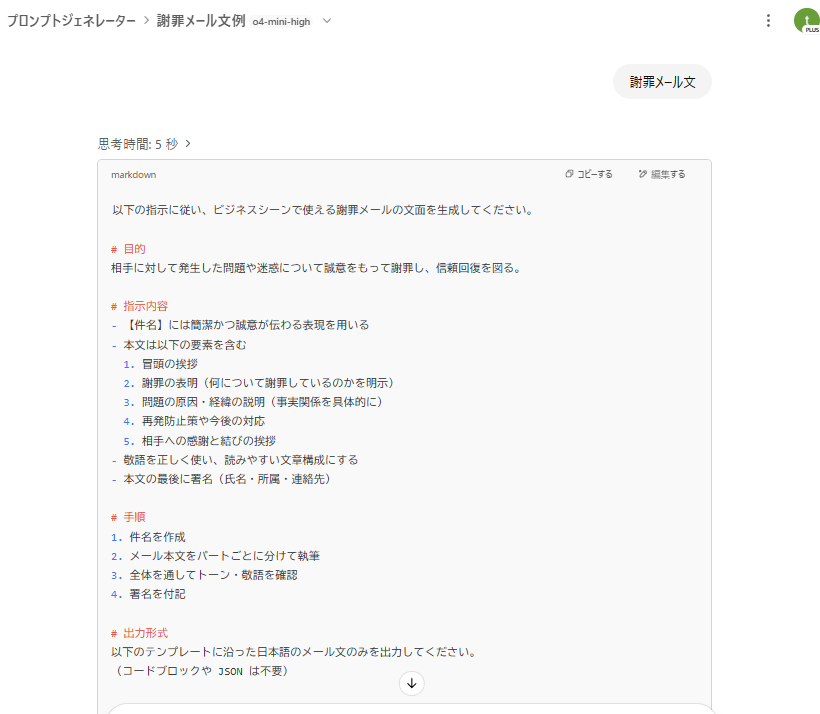
謝罪メール文 ―――― 以下の指示に従い、ビジネスシーンで使える謝罪メールの文面を生成してください。 # 目的 相手に対して発生した問題や迷惑について誠意をもって謝罪し、信頼回復を図る。 # 指示内容 - 【件名】には簡潔かつ誠意が伝わる表現を用いる - 本文は以下の要素を含む 1. 冒頭の挨拶 2. 謝罪の表明(何について謝罪しているのかを明示) 3. 問題の原因・経緯の説明(事実関係を具体的に) 4. 再発防止策や今後の対応 5. 相手への感謝と結びの挨拶 - 敬語を正しく使い、読みやすい文章構成にする - 本文の最後に署名(氏名・所属・連絡先) # 手順 1. 件名を作成 2. メール本文をパートごとに分けて執筆 3. 全体を通してトーン・敬語を確認 4. 署名を付記 # 出力形式 以下のテンプレートに沿った日本語のメール文のみを出力してください。 (コードブロックや JSON は不要) --- 件名:[件名をここに入力] [相手の名前] 様 平素より大変お世話になっております。[自社名/部署名]の[氏名]です。 このたびは、[問題の概要]によりご迷惑をおかけしましたこと、心よりお詫び申し上げます。 (謝罪の表明) [問題の原因や経緯の説明] (具体的かつ簡潔に) 今後は[再発防止策]を徹底し、同様の事態が起こらぬよう努めてまいりますので、何卒ご容赦賜りますようお願い申し上げます。 末筆ながら、今後とも変わらぬご指導ご鞭撻のほどお願い申し上げます。 敬具 ―――――――――――― [氏名] [所属部署/役職] [会社名] TEL:[電話番号] Email:[メールアドレス] ――――
オススメの応用方法: FeloでDeep Researchをして、インタラクティブページに仕上げる ↓
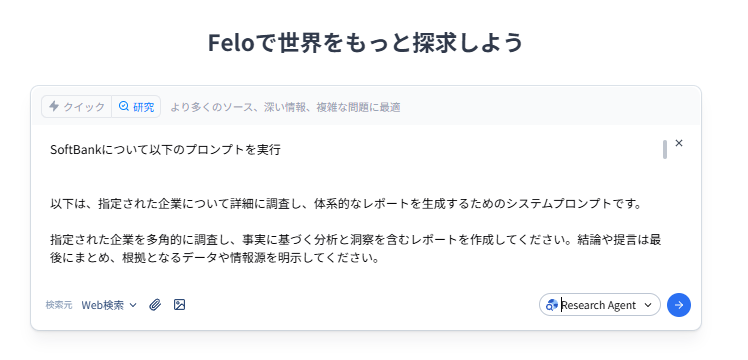
FeloでDeep Research×インタラクティブページ作成が情報整理に抜群! https://x.com/tetumemo/status/...
プロンプトジェネレーターは「Genspark スーパーエージェント」とも相性バツグン! 調査用のプロンプトを投げて、より良いアウトプットを出力しましょう! https://x.com/tetumemo/status/...