
Let's fine-tune DeepMind's latest Gemma 3 (100% locally):
Before we begin, here's what we'll be doing. We'll fine-tune our private and locally running Gemma 3. To do this, we'll use: - @UnslothAI for efficient fine-tuning. - @ollama to run it locally. Let's begin!

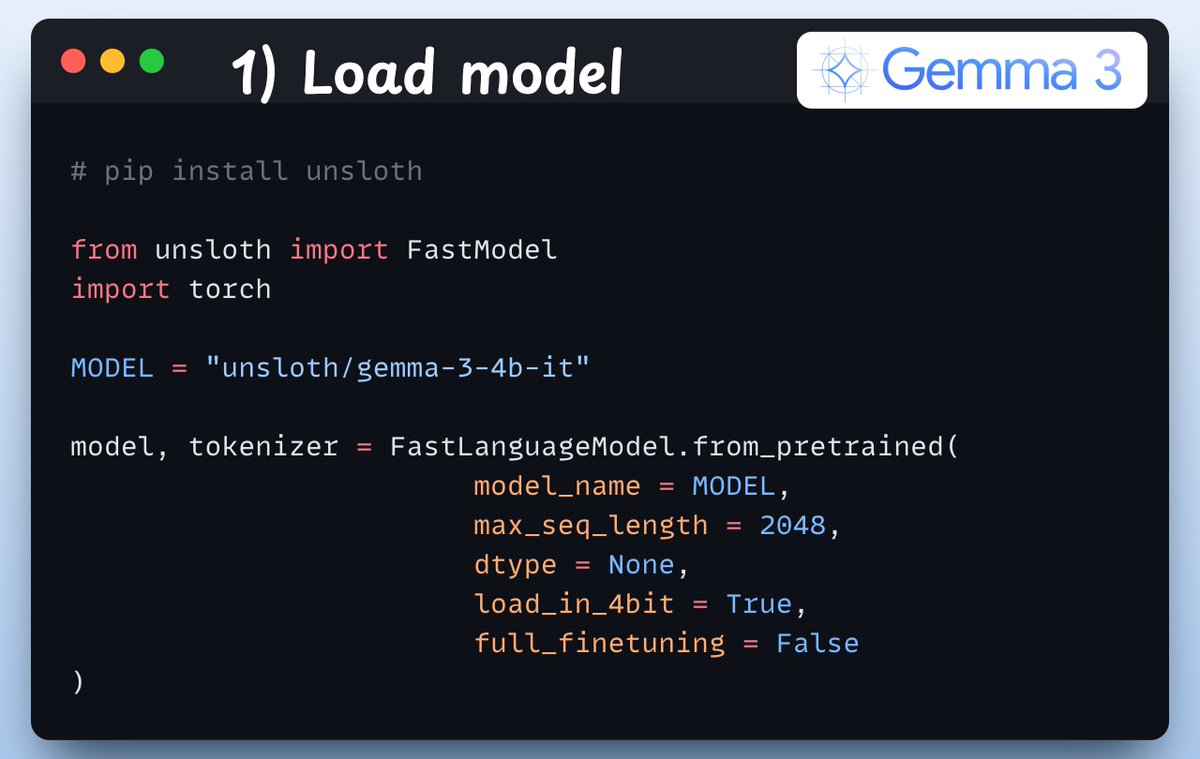
1) Load the model We start by loading the Gemma 3 model and its tokenizer using Unsloth:
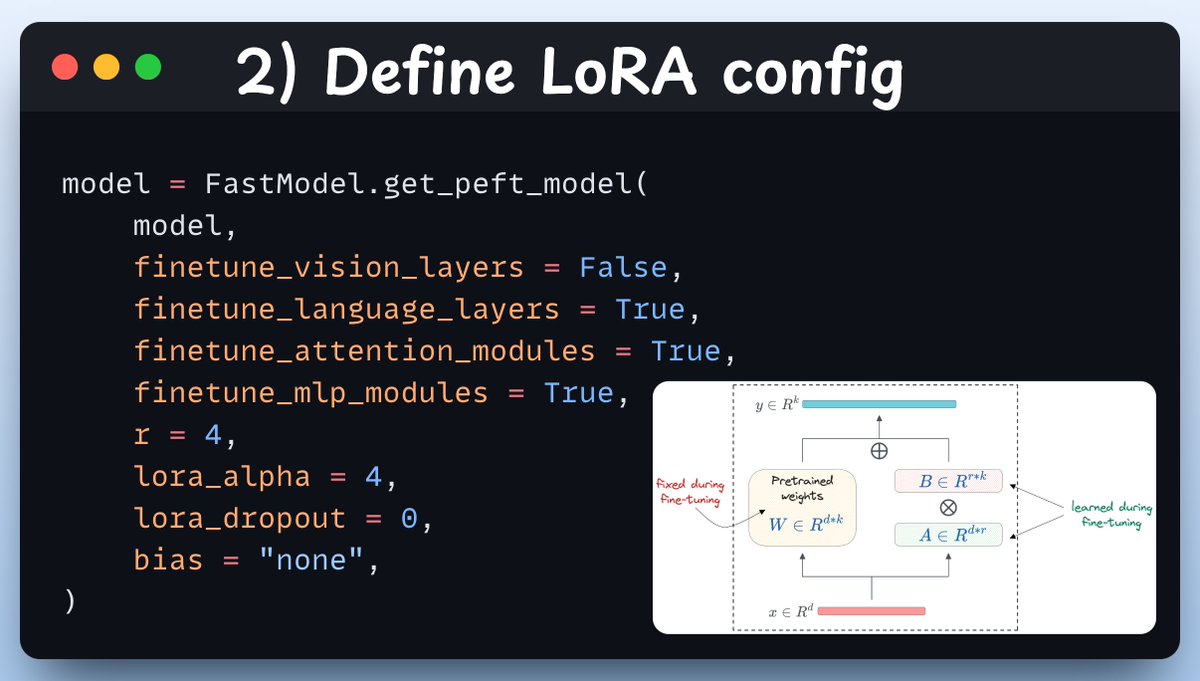
2) Define LoRA config We must use efficient techniques like LoRA to avoid fine-tuning the entire model weights. In this code, we use Unsloth's PEFT by specifying: - The model - LoRA low-rank (r) - Layers for fine-tuning - and a few more parameters.
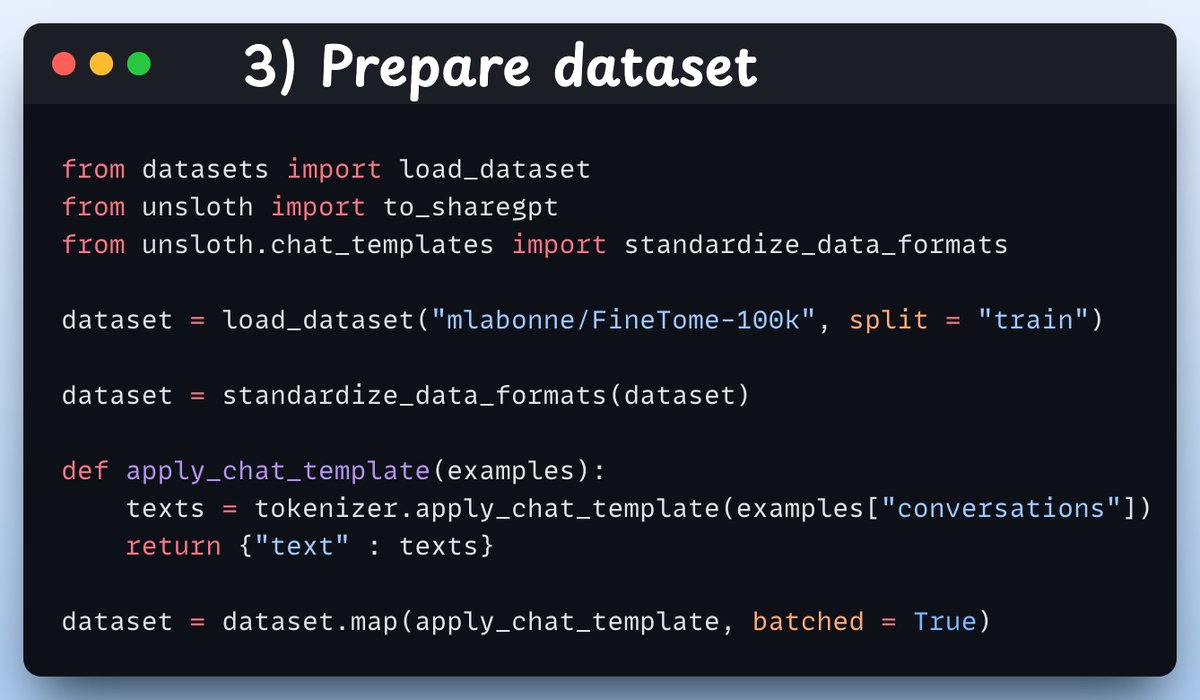
3) Prepare dataset Next, we use a conversation style dataset to fine-tune Gemma 3. The standardize_data_formats method converts the dataset to the correct format for finetuning purposes!
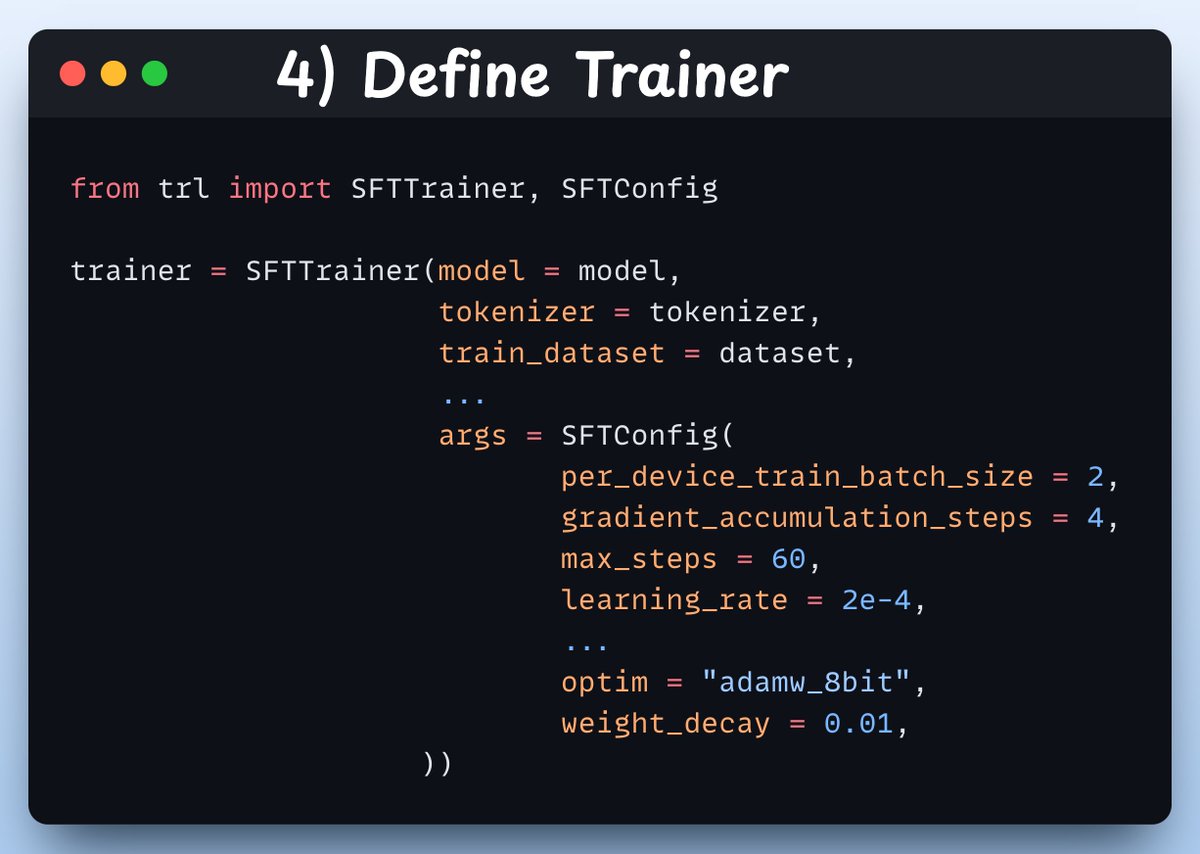
4) Define Trainer Here, we create a Trainer object by specifying the training config like learning rate, model, tokenizer, and more. Check this out👇
5) Train With that done, we initiate training. The loss is currently fluctuating, which is expected, and it should start decreasing as it is exposed to more training. Check this code and output👇

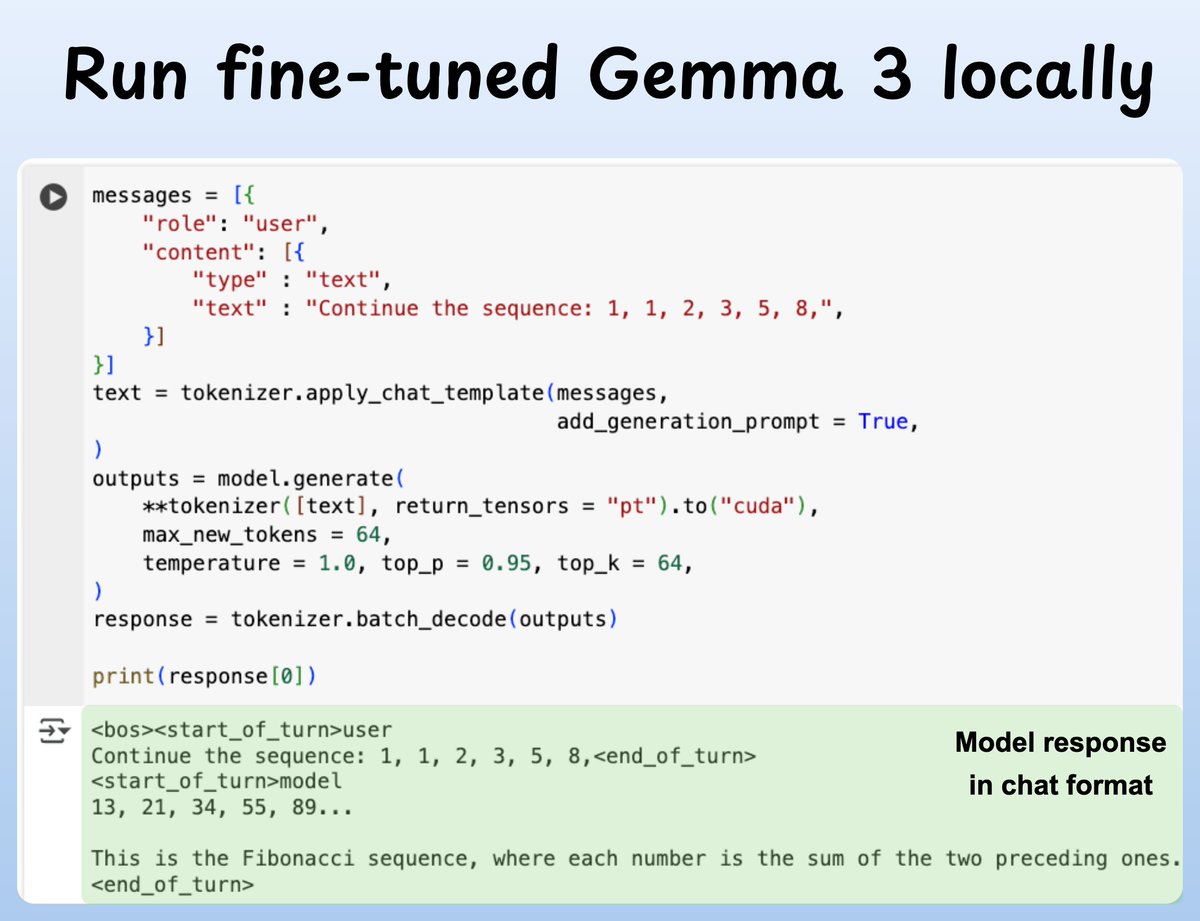
6) Run it locally We have fine-tuned Gemma 3 completely locally. Below, we run the model via Unsloth's native inference! We can also save this model locally. Check this👇
If you found it insightful, reshare with your network. Find me → @akshay_pachaar ✔️ For more insights and tutorials on LLMs, AI Agents, and Machine Learning!