
WhatsApp has more than 1.9 billion users worldwide. But 97% of people don’t know its true potential. Here are 15 essential tricks you should know:

1. Lock sensitive chats with passcode, fingerprint, or Face ID for ultimate privacy. Your conversations stay secure, even if your phone is lost.
2. Dual WhatsApp Accounts: Keep work and personal chats separate. Switch between two accounts on the same phone for a more organized, stress-free life.
3. Restore Deleted Messages: Accidentally deleted a message? Use 'Undo Delete for Me' to recover it instantly, even if it was deleted for everyone.
4. Chat Lock for Sensitive Conversations Planning a surprise party? Sharing confidential info? Lock those chats with passwords or biometrics for added security.
5. Send a Message Instantly No extra steps needed. Just enter the number, choose the country, hit send, and your message is on its way, quick and easy.
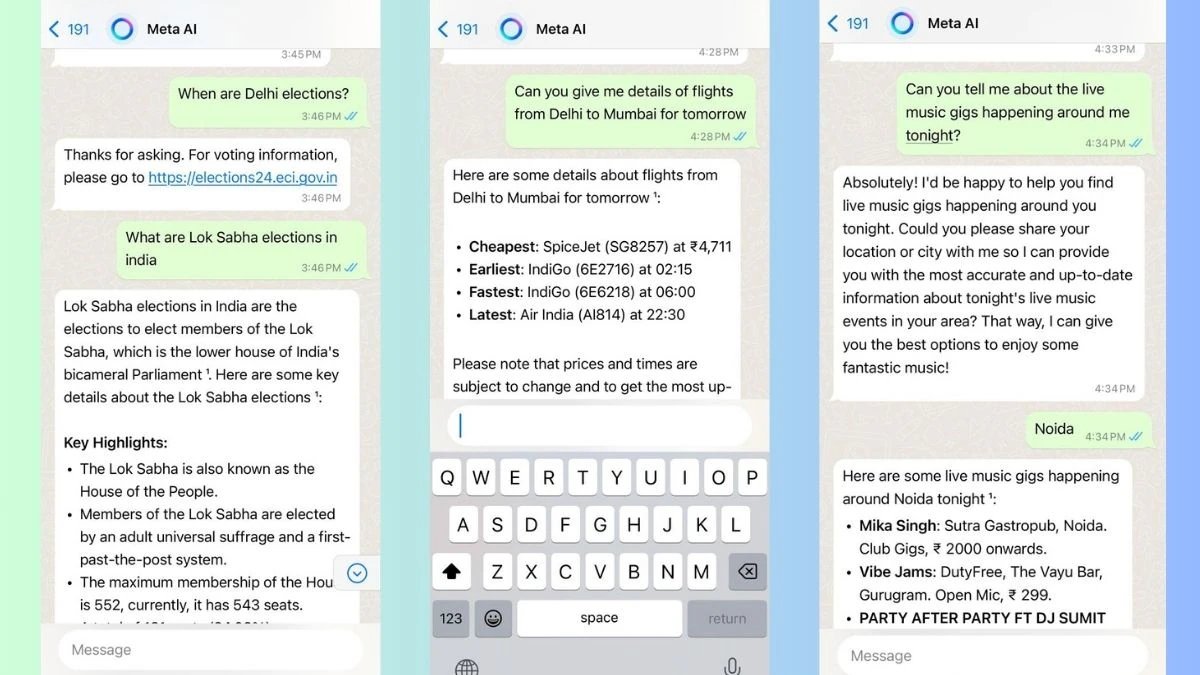
6. Meta AI is now on WhatsApp - Open WhatsApp and start a new chat. - Select "Meta AI" from the list. - Accept the terms and start creating Let Meta AI take your conversations to the next level
7. Infuse AI into your WhatsApp Add an AI assistant with the 'Hey Pat' option. - Visit their website. - Start a chat on WhatsApp. - Explore endless possibilities with AI at your fingertips
8. Search or Ask Meta AI Got a question? Just start typing and Meta AI will offer suggestions or you can type out your full question. It’s your go-to for answers on sports, entertainment, and current events
9. Edit Message You don't have to delete typos anymore. Just edit the message you already sent.
10. Emoji Shortcuts Turn on emoji shortcuts in settings and watch certain characters transform into fun emojis automatically! Add some flair to your messages with ease.
11. Backup your chat history - Go to Settings - Select 'Chats' - Hit 'Chat backup'
12. Undo "Delete for Me" Deleted a message by mistake? You can easily recover it, even if you meant to delete it for everyone.
13. Quick Tips Enhance your chatting and productivity on WhatsApp for PC with handy shortcuts for a more seamless experience. Explore all the shortcuts in the settings guide.
14. Pin important messages Tired of repeating details? Press and hold the message, then select "Pin" to keep it at the top.
15. Design your own avatar Create a custom avatar by changing hairstyles, eyewear, and outfits. Use it in chat stickers or as your profile photo.
That’s a wrap! → Hope you found this helpful. → Follow @Ronycoder for more like this. → Retweet the post below to share with your audience. https://x.com/Ronycoder/status...