
Everyone’s talking about “JSON prompting” But 90% don’t know what it actually is. With GPT-5 dropping TOMORROW, this is the most important skill you can learn. Here’s everything you need to know🧵
Before we start, make sure to follow me @patgetsit and like this tweet! I do this regularly so you won’t miss out in the future. But let’s dive in:
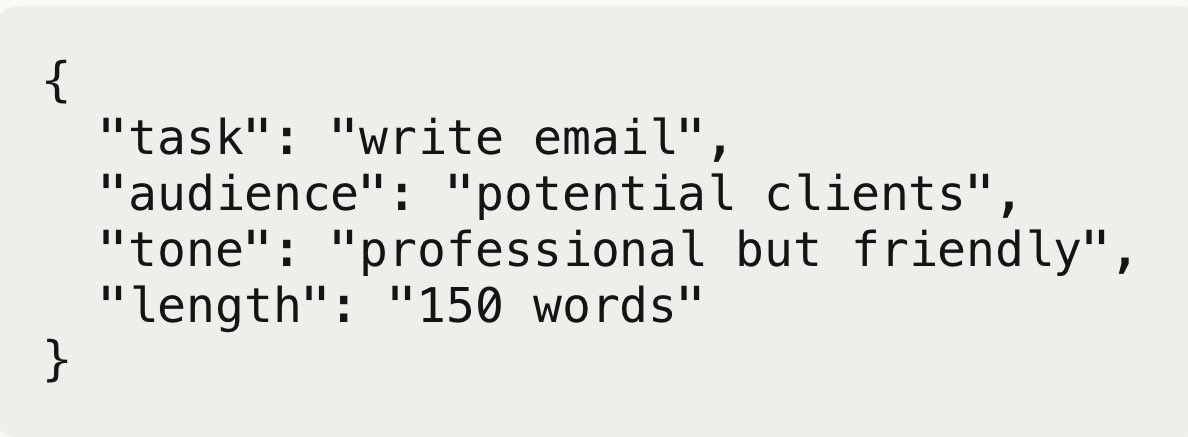
What is JSON prompting? JSON is just a way to organize information using brackets and labels. Instead of messy sentences, you structure your requests like this:
That’s it. Simple organization that AI understands perfectly. Why is this different from normal prompts?
Normal prompt: “Write me a professional email to potential clients, make it friendly but not too casual, around 150 words”
JSON prompt: { "task": "write email", "audience": "potential clients", "tone": "professional but friendly", "length": "150 words" }
Same request. But the AI processes the JSON version completely differently. Here’s why:
AI models were trained on millions of JSON files. Code, databases, APIs - all structured this way. When you use JSON, you’re literally speaking the AI’s native language.
It’s like the difference between giving directions in broken English versus using GPS coordinates. Normal prompts leave room for interpretation. JSON prompts leave none.
How you can use JSON prompting yourself: Start simple. Pick one task you do regularly.
For social media: { "task": "create Instagram post", "topic": "your business update", "hashtags": 5, "tone": "excited but authentic", "call_to_action": "visit website" }
For daily planning: { "task": "create to-do list", "categories": ["work", "personal", "health"], "priority_levels": ["urgent", "important", "optional"], "time_estimates": true }
Copy these templates. Fill in your details. Send to any AI. Why GPT-5 makes this insanely powerful:
Current AI models have limits. Around 32k-128k tokens of context. GPT-5 reportedly has 256k+ tokens. That’s massive.
This means you can send incredibly detailed JSON prompts that would break current models.
The multiplication effect: With GPT-4, JSON prompting gives you maybe 2x better results. With GPT-5’s capabilities, it’s more like 10x
Because now you can: • Process multiple input types simultaneously • Handle complex, nested instructions • Get structured outputs that plug directly into other systems • Maintain context across much longer conversations
Your 24-hour head start: GPT-5 launches tomorrow. Most people will spend weeks figuring out basic prompts. You can start with these templates right now:
Universal template: { "task": "[what you want]", "context": "[your situation]", "requirements": ["requirement 1", "requirement 2"], "output_format": "[how you want it back]", "constraints": ["any limits"] }
Advanced template for GPT-5: { "inputs": { "primary": "[main input]", "supporting": "[additional context]" }, "task": "[specific action]", "analysis_depth": "detailed", "output_structure": { "summary": "3 key points", "action_items": "prioritized list",
JSON prompting isn’t just a formatting trick. It’s a fundamental shift from asking AI questions to programming AI behavior.
With GPT-5, this becomes the difference between using AI as a smart chatbot versus using it as a personalized intelligence system.
Everyone will have access to GPT-5. Not everyone will know how to use it properly. Which group do you want to be in?
Make sure to share with your friends and follow for more of these guides!