
Published: August 6, 2025
2
26
194

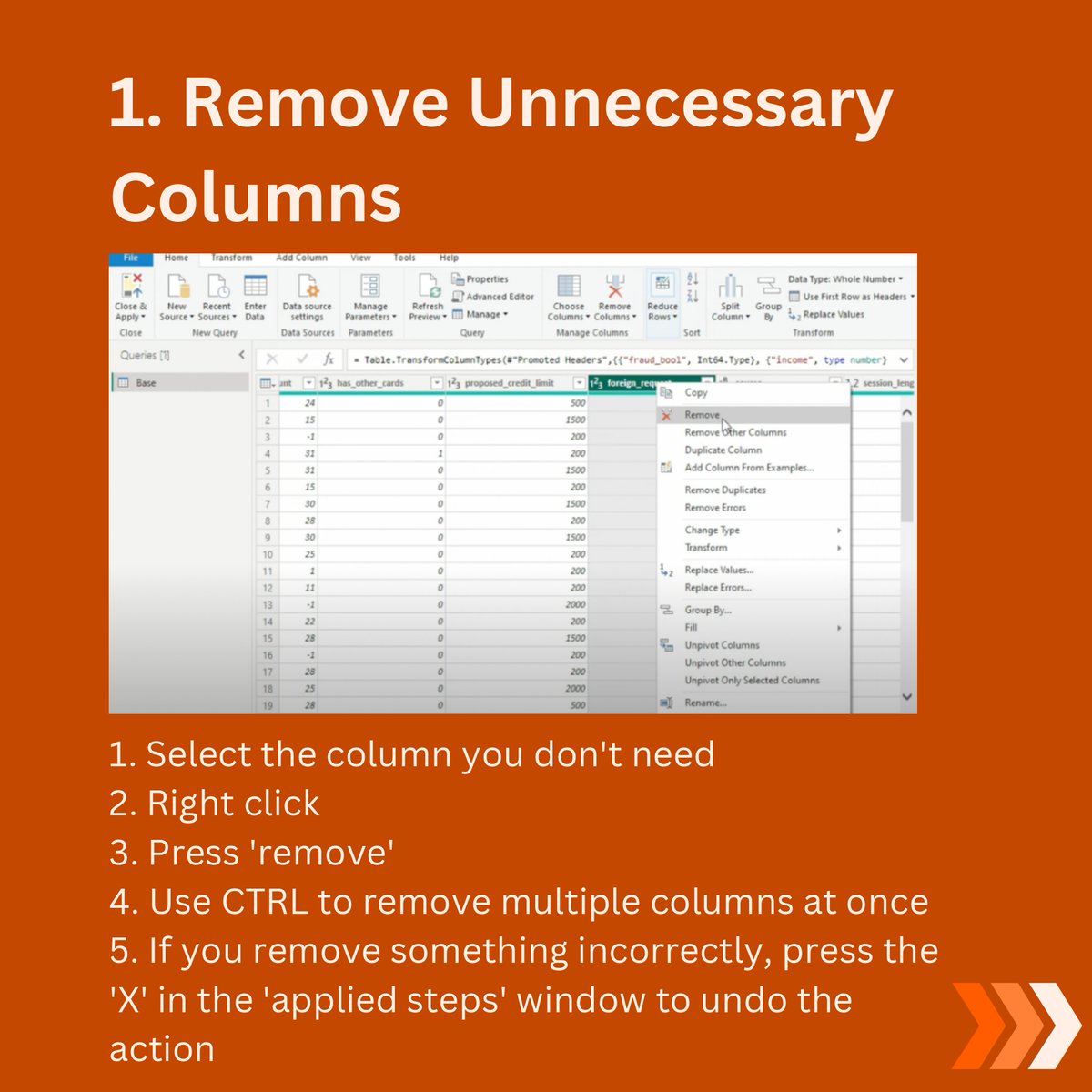
1. Remove Unnecessary Columns
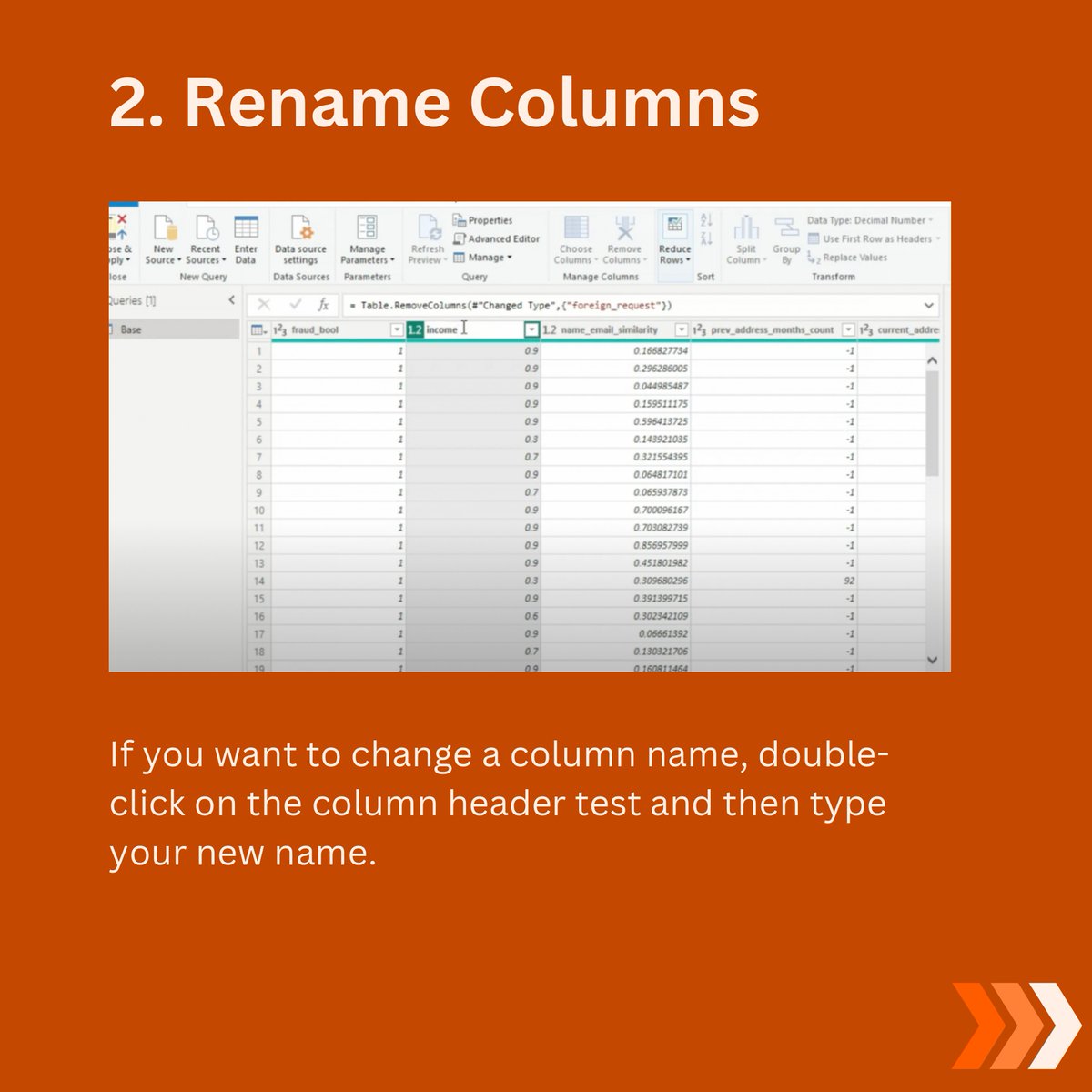
2. Rename Columns.
3. Remove Duplicates.

4. Merge Columns.

5. Split columns.

6. Replace Null Values.

7. Change data types.

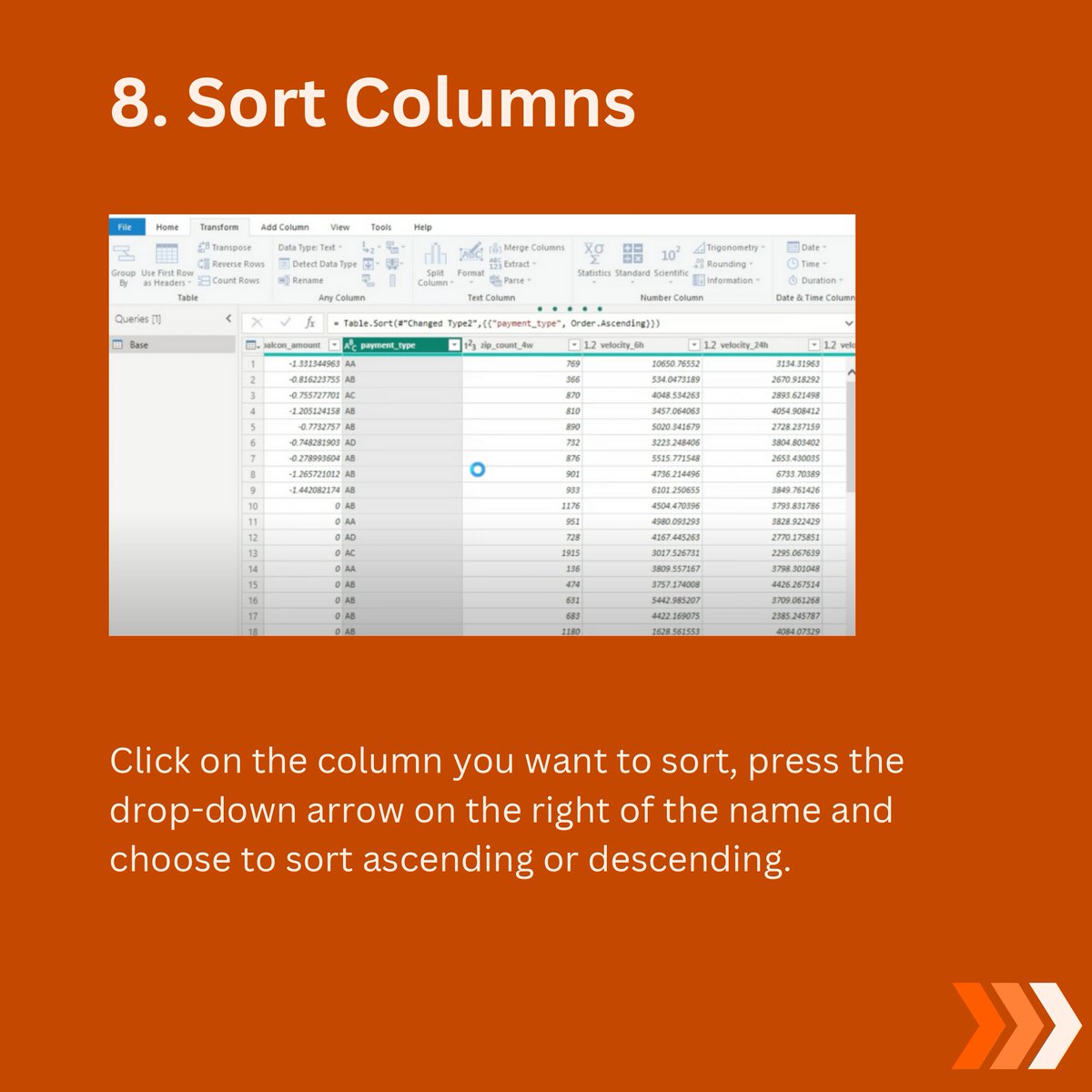
8. Sort Columns.
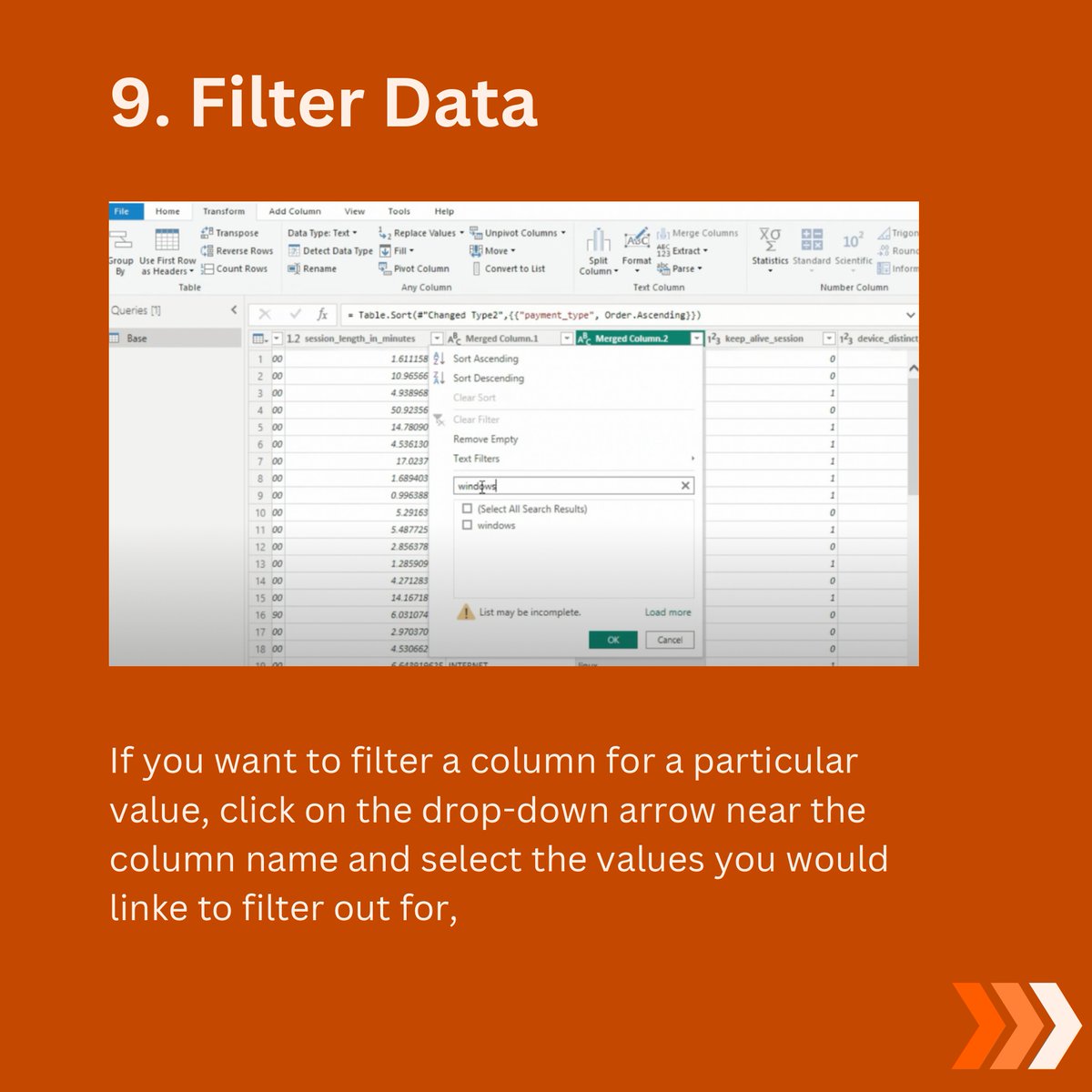
9. Filter Data.
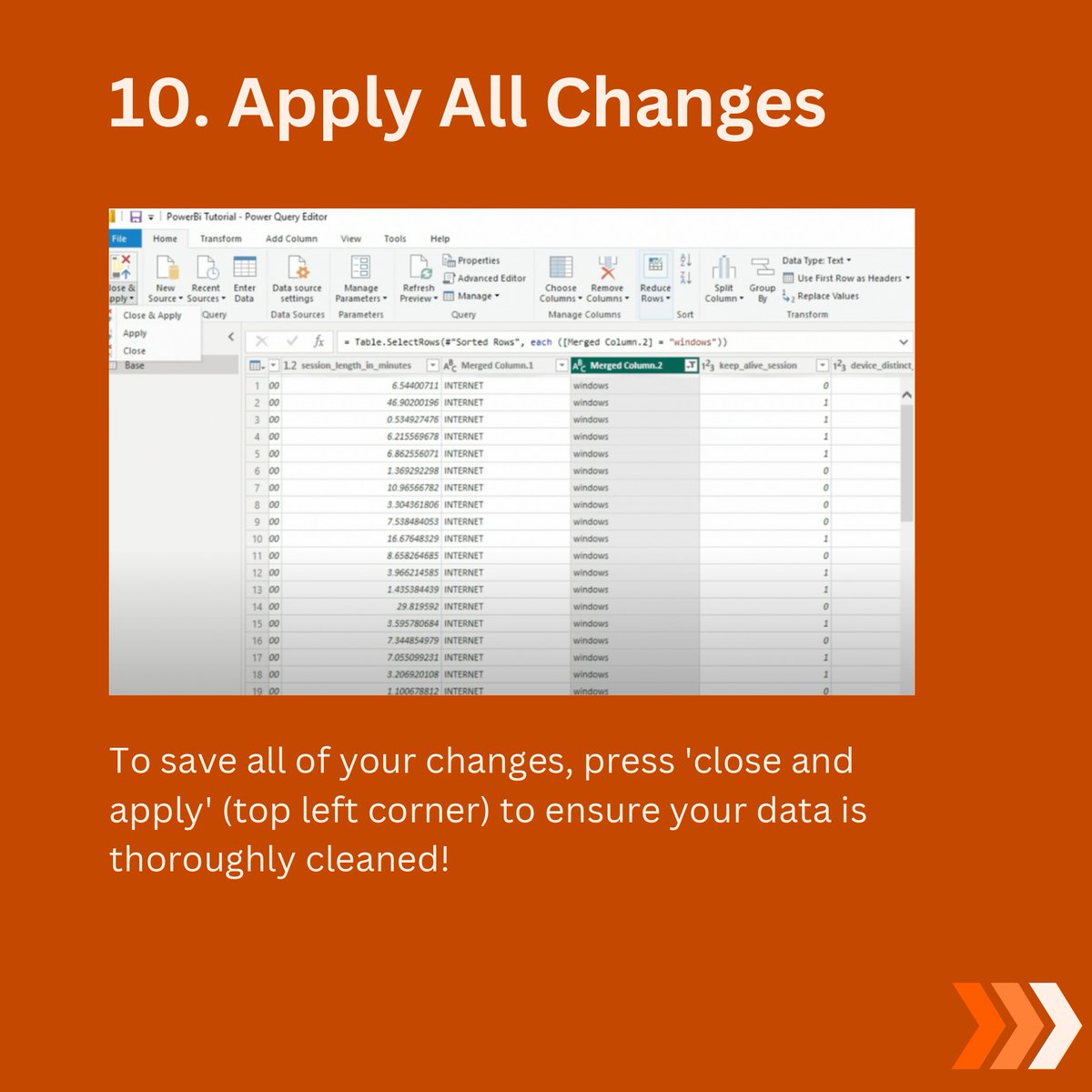
10. Apply All Changes.
@Eyowhite3 thus great
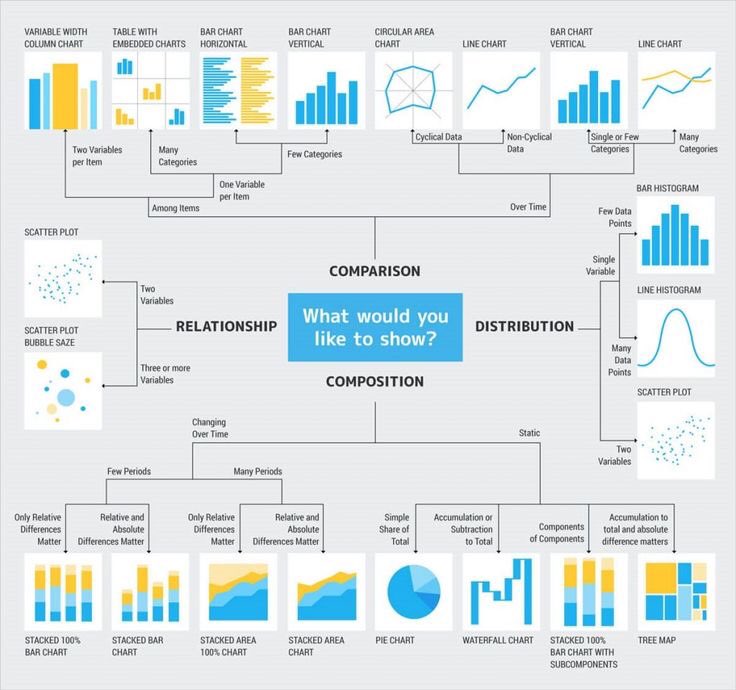
Choose your charts like this?
Power BI Theme Starter 🚀 get your design template started instantly with this customized json theme. #powerbi #report #design #uxui #ux
MIT literally dropped one of the best Data Analysis FREE courses. 23 Lessons. 24 Hours. Every Analyst should watch this.


Data Cleaning Techniques you should know
