
There's a new way to build production-grade MCP servers. - It takes less than a minute. - You don't have to write any code. - You can integrate from 100k+ tools. Here's a step-by-step breakdown (100% local):
To build MCP servers from scratch with custom tools, one has to: - read the API docs - implement MCP tools - test them, and much more Today, let's learn how to simplify this and build production-grade MCP servers using Postman's MCP Generator (free to use). Let's dive in!
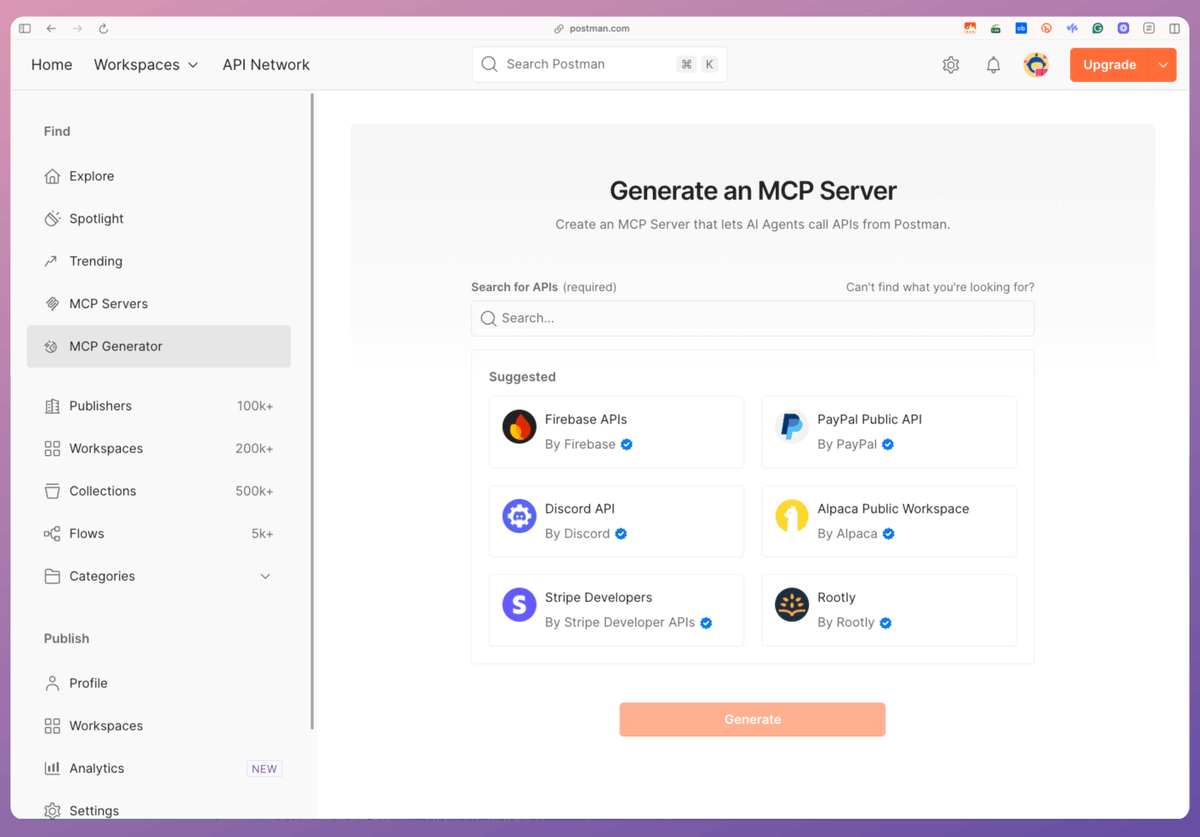
For context... Postman's MCP Generator lets us build an MCP server with tools from its public API Network (with 100k+ APIs). Steps: - Select all the APIs for your MCP server. - Export the code for the MCP server. - Integrate it with any MCP client. Check this👇
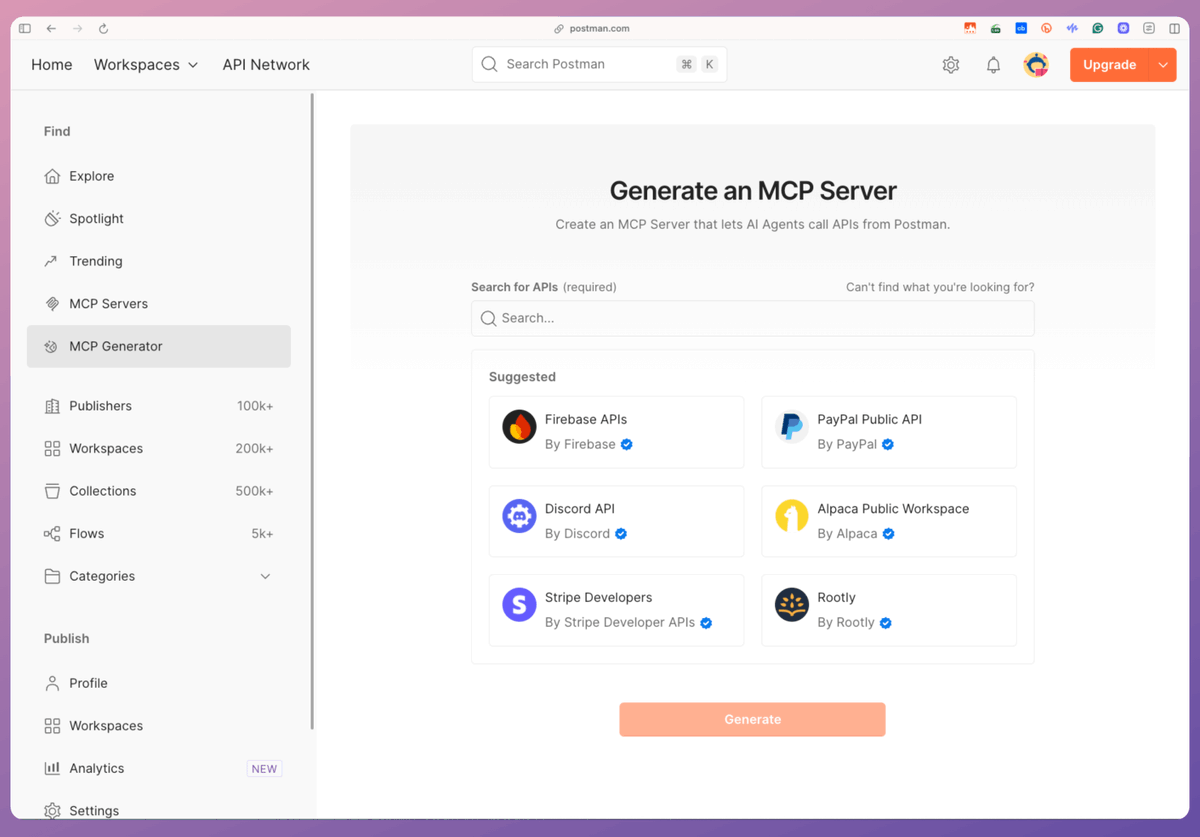
To begin, select the tools that you want to add to your MCP server. For simplicity, we select Hacker News and pick all the tools. Once done, we click on Generate. This gives us a download link with the code for the MCP server. Check this 👇
After unzipping the file, we can see the entire repository, including: - A README with instructions - A .env file to specify API keys (if any) - The server implementation, and more. Check this 👇
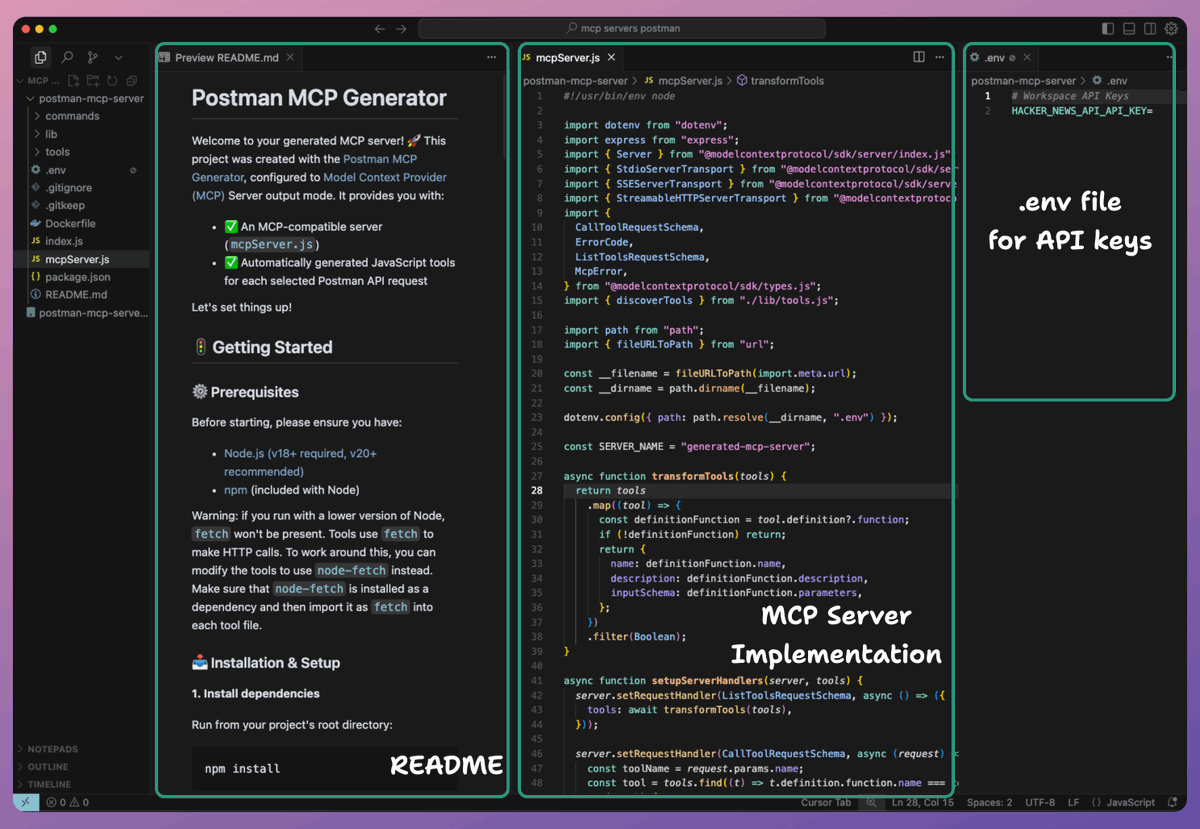
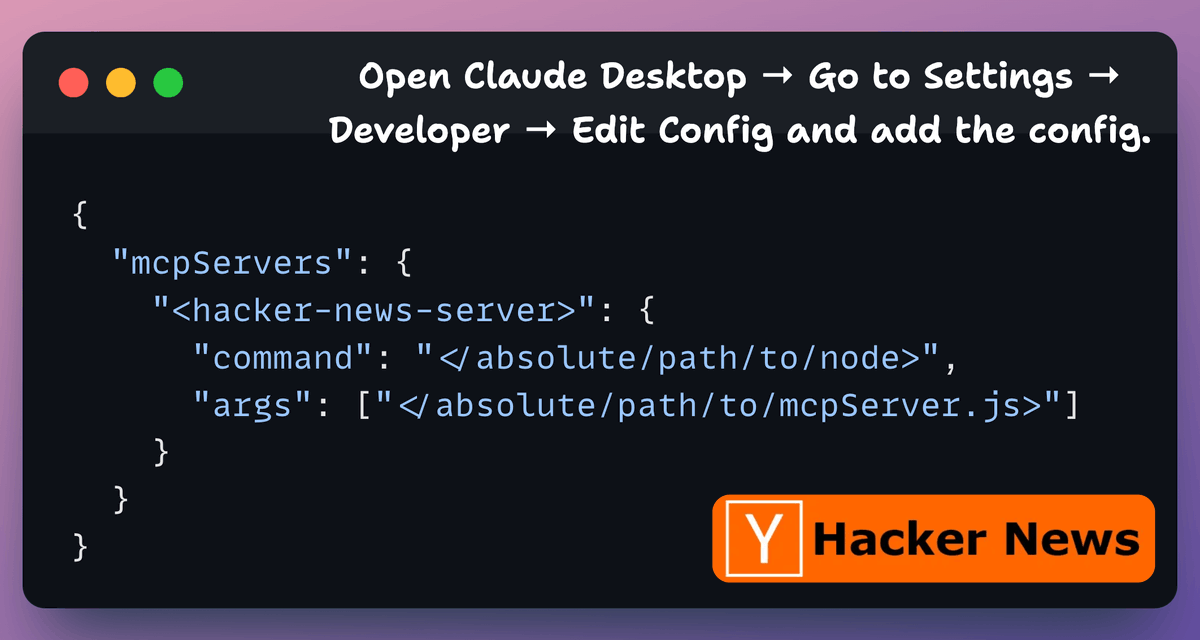
As instructed in the README file, we run `npm install` command. Next, to integrate the MCP server with Claude Desktop, go to Settings → Developer → Edit Config and add the config. Note: You can run the `which node` command to print the path to node. Check this 👇
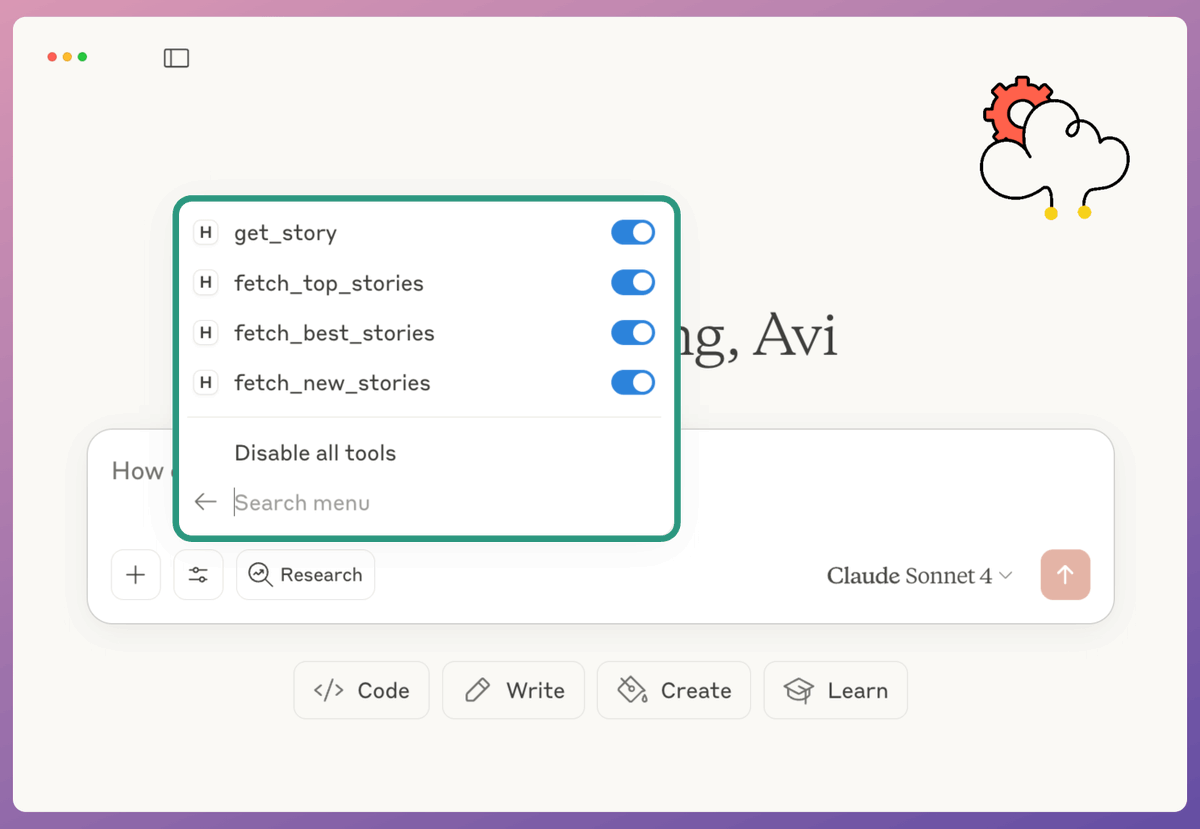
Once the server is configured, Claude Desktop will show the tools we integrated while building the MCP server in Postman's MCP Generator. For Hacker News, we have: - get_story - fetch_top_stories - fetch_best_stories - fetch_new_stories Check this👇
Finally, we interact with the MCP server we just built. Check this demo 👇
You can find the MCP Generator tool here: https://bit.ly/4oV7uUw
To recap, there are the steps: - Open Postman's MCP generator. - Select the APIs from Postman's API Network. - All these APIs will be available as tools in your MCP server. - Download the code provided by Postman. - Specify API keys if needed in the .env file. - Prepare your MCP
That's a wrap! If you found it insightful, reshare it with your network. Find me → @_avichawla Every day, I share tutorials and insights on DS, ML, LLMs, and RAGs.
@_avichawla This makes building production-grade MCP servers a cake walk! Thanks for sharing!
@akshay_pachaar Yes, it's quite simple to use.
@_avichawla Faster deployment is intriguing. However, maintainability and security at scale are key for true production readiness.
@_avichawla Your thread is very popular today! #TopUnroll https://threadreaderapp.com/th... 🙏🏼@coeurdepomme for 🥇unroll
@_avichawla Good one, What about authentication and authorization? Pay special attention to security.
@_avichawla This one is really interesting. I found a lot of collections there!! Thanks for sharing mate. @getpostman has done an awesome job here. Kudos to the team!! 🚀
@_avichawla What does MCP mean?
@_avichawla Sorry for my ignorance… Can I expose all the APIs of a microservices NodeJs project and create a MCP from them? My goal is that I can call it from Claude or any other MCP client in the future
@_avichawla Big plus is that it's free to use. Perfect sandbox for trying out custom MCP servers before going all-in.
@_avichawla Thanks for the value, Avi. Are you seeing that this is actually getting consistent results when you link an AI? Any chance a spreadsheet with that info?
@_avichawla Lets say if we don’t have access to mcp generator in irg than how come it’s possible??
@_avichawla @Threadreaderapp unroll