
In this small thread, I'll break down how you can create full-length movies or anime with Grok 4 Imagine. This entire video was created with Grok4 Imagine and a video editor.
1/n https://www.grokprompt.fun The first thing you'll want to do is come up with a prompt for your 'characters' from a storyboard you have created. I built a free-to-use app that uses AI to take a generic prompt or image and provide an optimized prompt that will work well in
2/n Once you have your prompt, you'll want to put this black image into Grok Imagine and use the prompt from http://grokprompt.fun in the custom section. This will create your first scene with an animation.
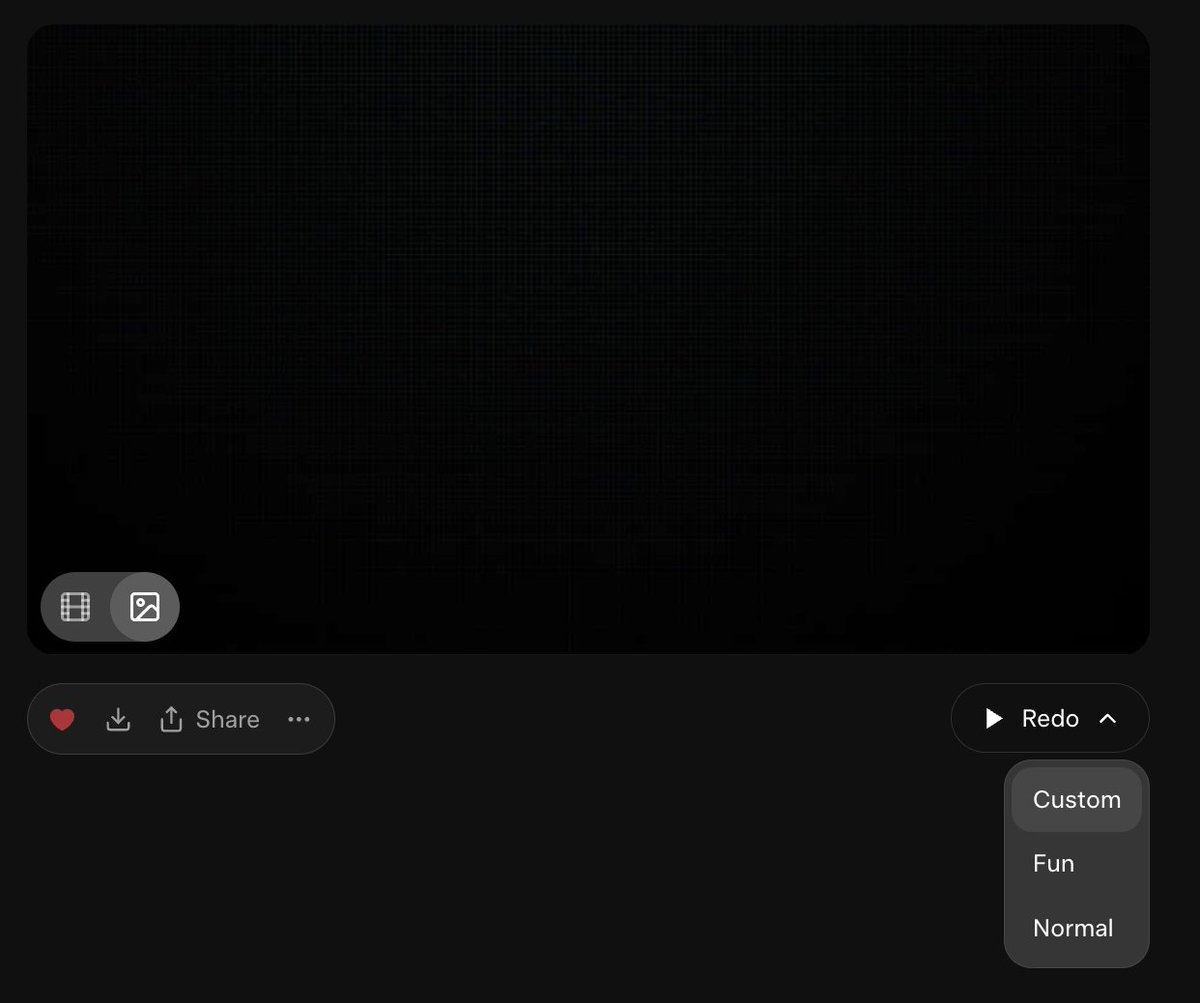

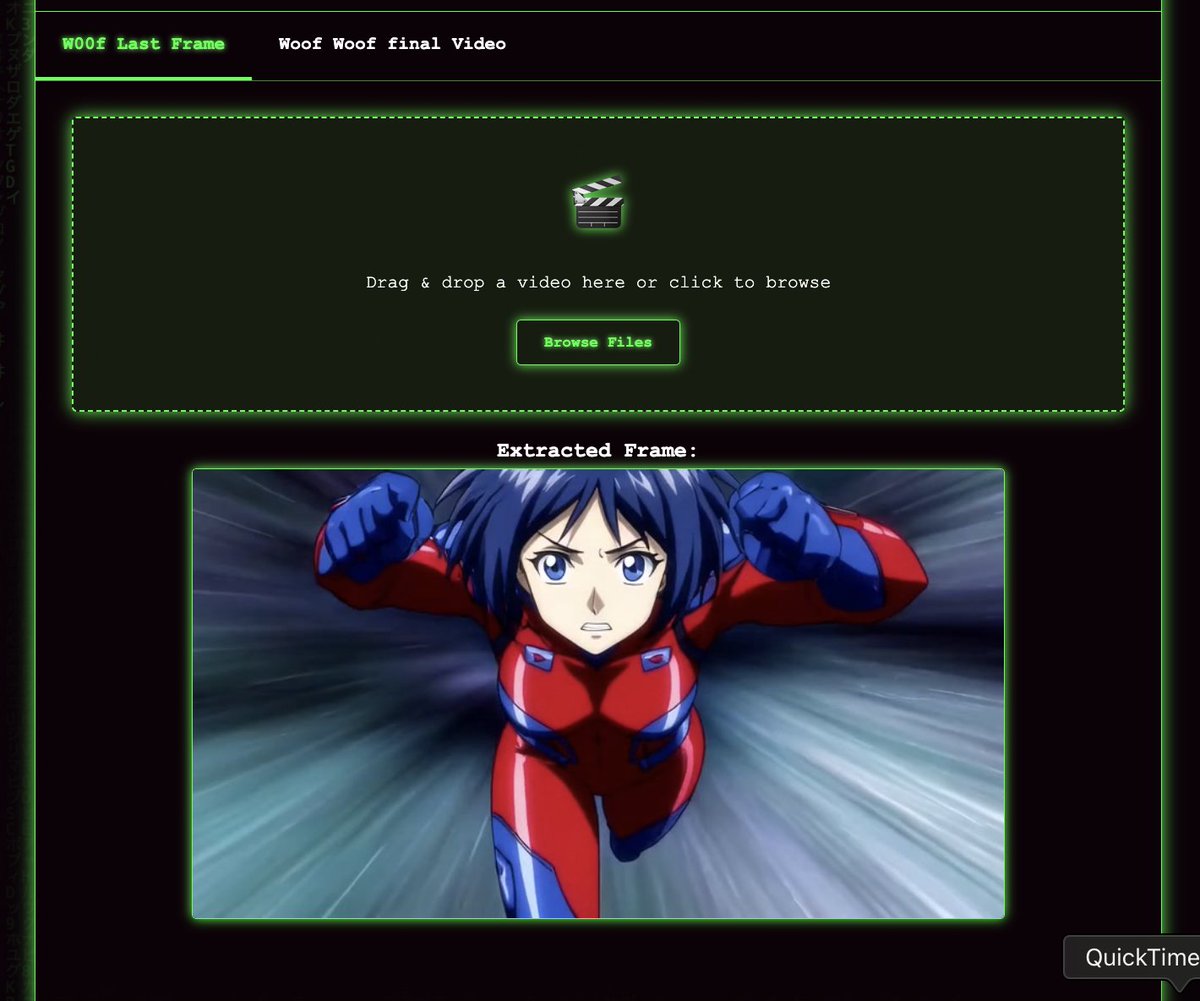
3/n Now, the next thing you'll want to do is head over to https://egod.dev/. This is a webpage that @nfkmobile built. You can use it to get the last frame from your video. The image provided is what you will want to use in Grok Imagine for the next scene of your video.
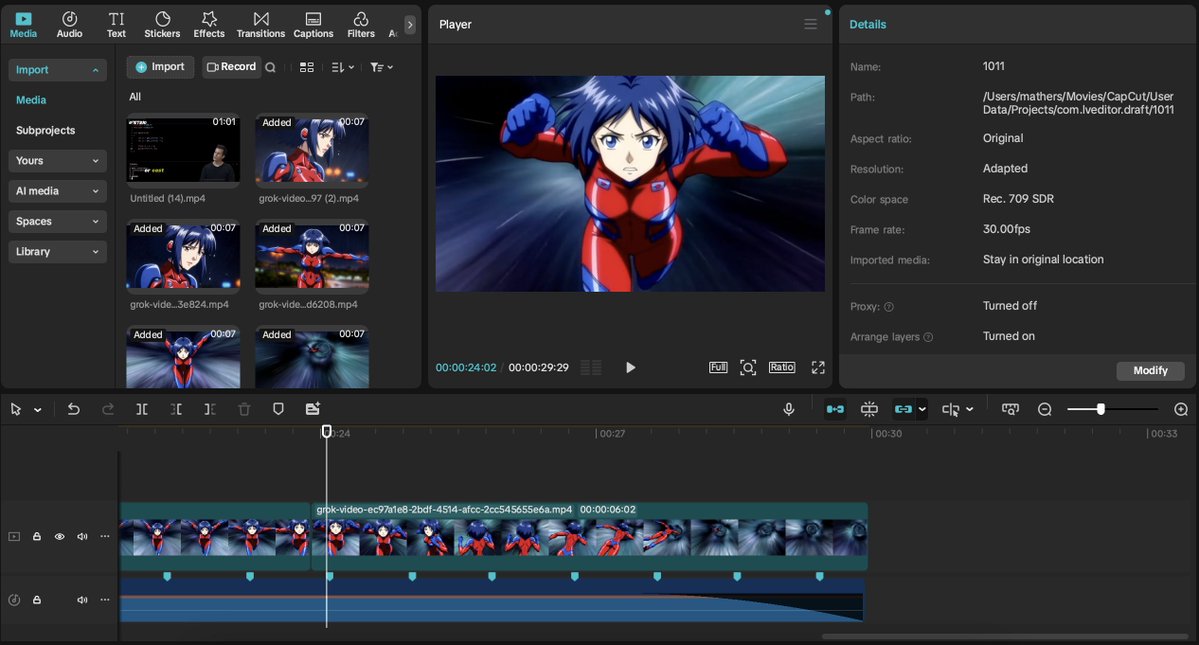
4/n Finally, you'll want to get a video editor like CapCut, which is very friendly to people with no editing skills. You can use this to edit your video, and there's also royalty-free music in the app that you can use with your art on X.
5/n You can continue the previous steps and add as many scenes as you require for your film! Download and use this clip on the eGOD webpage for practice. Just Grok It 💫
@tetsuoai AKIRA no storyboards, no extra websites & no prompts. All from still images. CapCut editor & audio.
@tetsuoai Consistent character appearance across scenes is still a challenge. How do you prevent your character from wearing different shoes in the next scene?
@tetsuoai that is so overly complicated. Put in image in and animate it. RIGHT CLICK the movie and turn off LOOP. at the end click copy video frame. start a new imagine and paste the new frame in and re-animate until you get it right. repeat. paste them together in editor. done.
@tetsuoai It works
@tetsuoai I just made this!
@tetsuoai Followed the directions, used the app, made this: https://youtu.be/iofRsmCP2p0
@tetsuoai Something feels off. I know it's easy to say "it's AI" but it feels like there's too many frames or something? Almost like the animation is too smooth? It's hard to describe lol
@tetsuoai All animations made with Grok. Warning. Rated R. 🪓🩸 https://x.com/TeslaDarth/statu...
@tetsuoai Your thread is everybody's favorite! #TopUnroll https://threadreaderapp.com/th... 🙏🏼@hackettholistic for 🥇unroll
@tetsuoai Any ideas to force consistency of character design over different shots?
@tetsuoai This is very clever but you could cut out a step by using Grok to come up with the prompts rather than a different AI. I’ve taught it to understand the limitations of Grok Imagine and what I need over the past few months. It really understands now. If you then keep the
@tetsuoai Ya, for now, use the last picture frame as a reference to your next video, put them together. Et voilà!
@tetsuoai Is this MOTOKO?
@tetsuoai Tetsuo is a true pioneer and visionary. I simplified my video creation by adding dream story text into grok for context to prompt still images. I kept one main female character for the entire film short by putting the still images into Imagine and custom prompting the video
@tetsuoai Tetsuo, Do you have any thoughts about using leading images, like hand-drawn or painted initial frames, etc - something to get the animation going?
@tetsuoai Looks slick I won't lie, Anyone got success/fail prompts for motion continuity between shots just with using grok 4 imagine?
@tetsuoai When will Mari companion be put, I broke up with Ani yesterday
@tetsuoai Thank you!!! Here’s my first try!!
@tetsuoai hollywood is gonna pay for rejecting my ideas
@tetsuoai oye!
@tetsuoai Excellent! This is my second attempt. Thanks for sharing this method!! 😀
@tetsuoai My short anime made mostly by grok imagine. https://x.com/hsdhcdev/status/...
@tetsuoai Nice Thread! These videos are all from Grok. My workflow is Grok for video, Premiere Pro and Photoshop for last frame grab, enhancements and video editing, then Grok for the next video piece. With the built in Nano banana in Photoshop you can generate different angles of the
@tetsuoai Some day, you'll be able to feed Grok chapters of a book and produce quality anime episodes of it.
@tetsuoai ooo yay!! guessing you did end frame —> start frame for style consistency? would be nice if they could automate that with just an “extend” button
@tetsuoai Good shit man, I've been crafting my prompts and capturing my last frames manually lol so this will help a lot.
@tetsuoai Style changes, face changes, eye color changes, she's standing on nothing hovering above an empty street, begins running on no ground in abstract tunnel only to go backwards in it again for no reason, tempo of animation changes, rain morphs. This isn't a movie it's recycled poop
@tetsuoai Ghost in shell vibes
@tetsuoai GrokPrompt would be overflowing with traffic. Congratulations 🔥
@tetsuoai I can’t wait to try this. I previously thought CapCut was an unspoken sin on 𝕏, so I’m happy to hear it’s not. 😆Thanks