
Blender 5.0 comes with new options for working color spaces - Rec.2020 and ACEScg. Which should you use? Turns out, bigger is not always better! You don't get "more colors". Here's why 👇🧵


First, the graph. That horseshoe shape is the range of all perceptible colors that we currently know of. The yellow line on the outside is the wavelengths of light that correspond to the purest colors. Every color in the middle is a combination of those outside wavelengths.
But the render engine knows nothing of color and does all calculations on a set of any three values. R, G, and B, but it could be yellow, pink, and turquoise for all it cares. It's just numbers. The working space is what determines what actual color those three numbers refer to.
In Rec.709, "green" is defined as closer to the middle of the graph of possible perceptible colors. In Rec.2020, "green" is right on the limit of perception and corresponds to a wavelength of light. And in ACEScg, "green" is fully outside the realm of possible colors.
Those three values are the anchor points which give coordinates to all other colors. In Rec.709 the circled color blow is [0.75, 1, 0.5]. In Rec.2020, the same circled color is [0.666, 0.958, 0.288]. Same color, different coordinates.

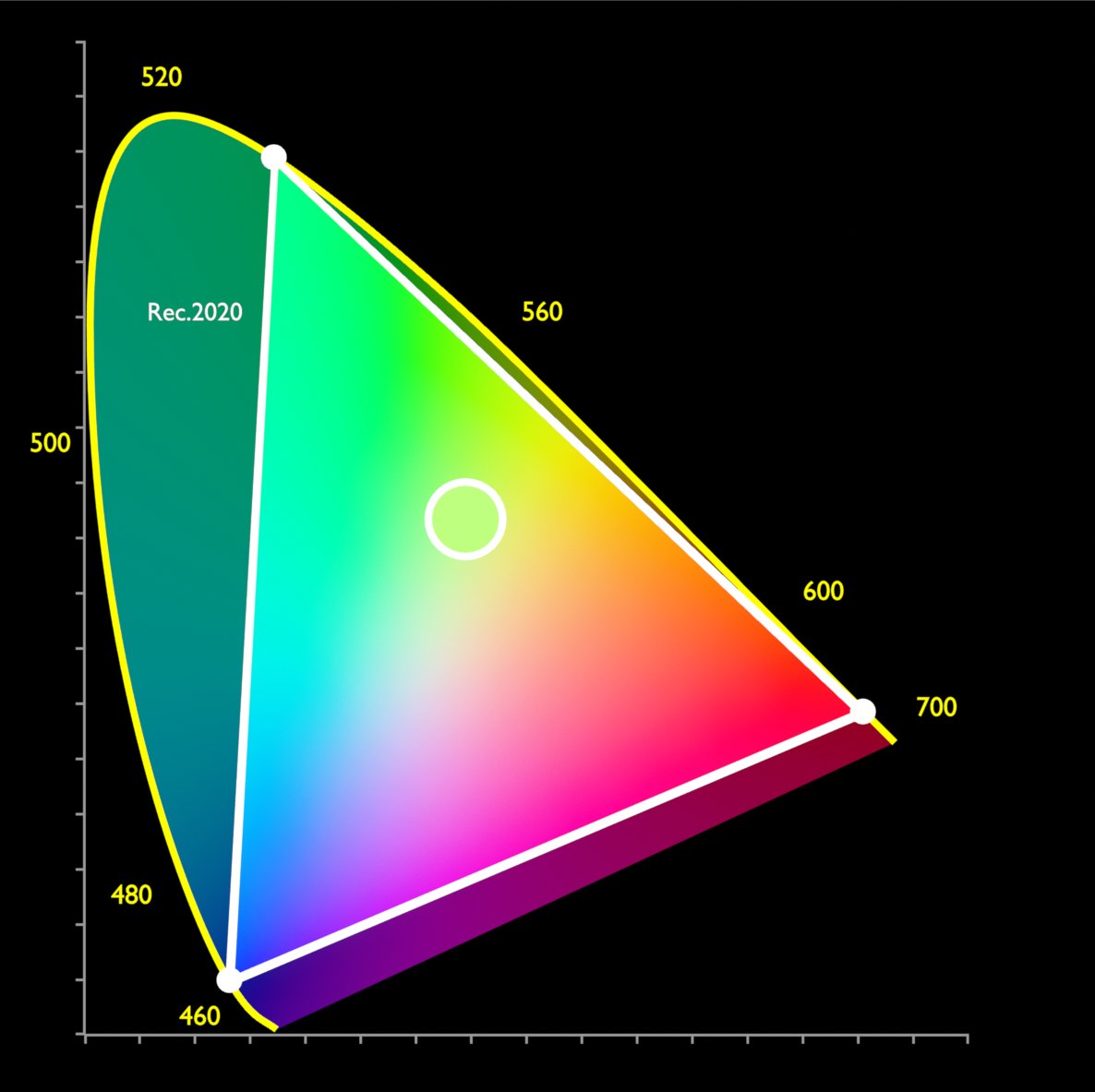
The main thing to remember is that most displays can only display sRGB, which has the same coordinates for colors as Rec.709. So, if you choose a larger space, any color outside of Rec.709 has to be clipped or transformed to fit back into Rec.709 by the view transform.
So, using a pure green from a wider gamut in a render doesn't get you "more green" or "more saturation"... it gets you clipping! Or it gets transformed back to a Rec.709 green anyway. So why even use a wider gamut to begin with if we can't actually output those colors?
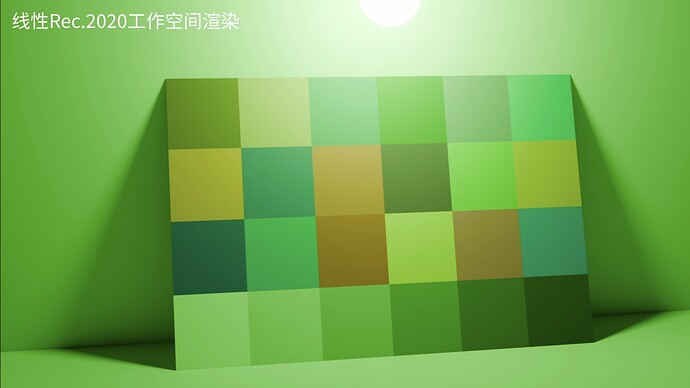
Well, in some cases, it can improve the math in the render engine. If you put a pure red texture (sRGB) on a light and use a pure green texture (sRGB) on an object and render with Rec.709, you're multiplying [1,0,0] by [0,1,0] and get [0,0,0] - black!

But if you use those same colors in Rec.2020, you're multiplying [0.329,0.92,0.88] by [0.627, 0.069, 0.016] - not black! The buffer helps avoid multiplying by zero and we get some color. Energy is better preserved.
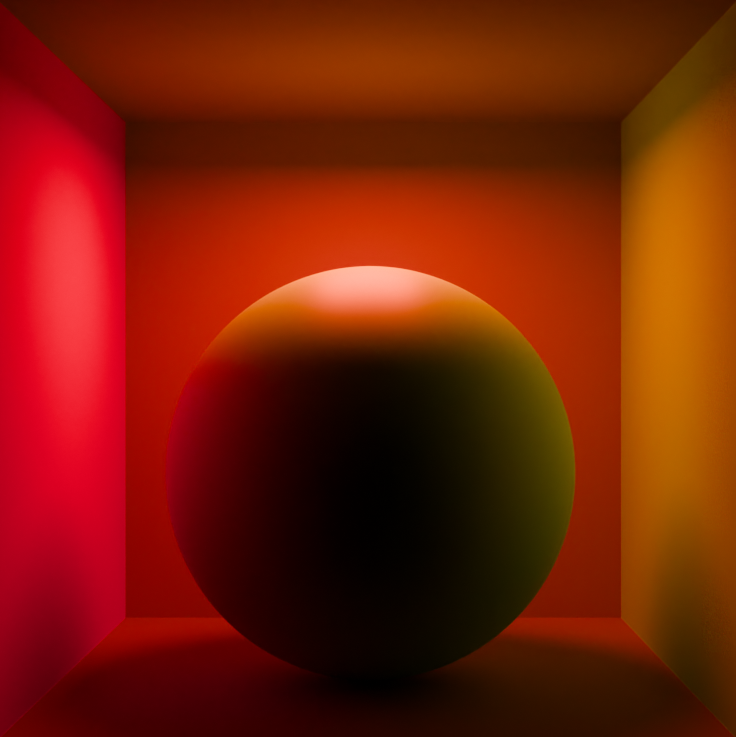
ACEScg has its green outside of what is physically or perceptually possible. It's a fully imaginary color, so there are some added complications and I wouldn't go for it unless you need it for compatibility. Rec.2020 defines R, G, and B as actual wavelengths, so it's a safer bet.

And, while cool, remember that rendering is approximations all the way down, the horseshoe graph is not universal to all humans, and that "physically accurate" is never fully true. When in doubt, just go with what looks good to you or your client.
TL;DR: Larger working color spaces don't get you more colors in your render, but they can help the render engine mix colors without losing energy. Thanks to Eary Chow (whose version of Troy's AgX made it into Blender) for explaining this on Blender Artists.

@JonLampel AgX, my bros prefer AgX
With the winter season just around the corner to most of you (not mine), I'd like to share with you a procedural snow material study I recently did. Created with Blender and Cycles. Rendered with @rendernetwork #b3d
Viewport VS Render 90% of look-dev done directly in Nuke.
Create realistic camera movements in Blender using your phone with @Wanderson3Dvfx's Camera Controller add-on. Try the demo before buying: https://80.lv/articles/easily-...
